Table of Contents
Build Real Apps & Web with GenCodex
Transform your ideas into scalable solutions with a powerful low-code platform
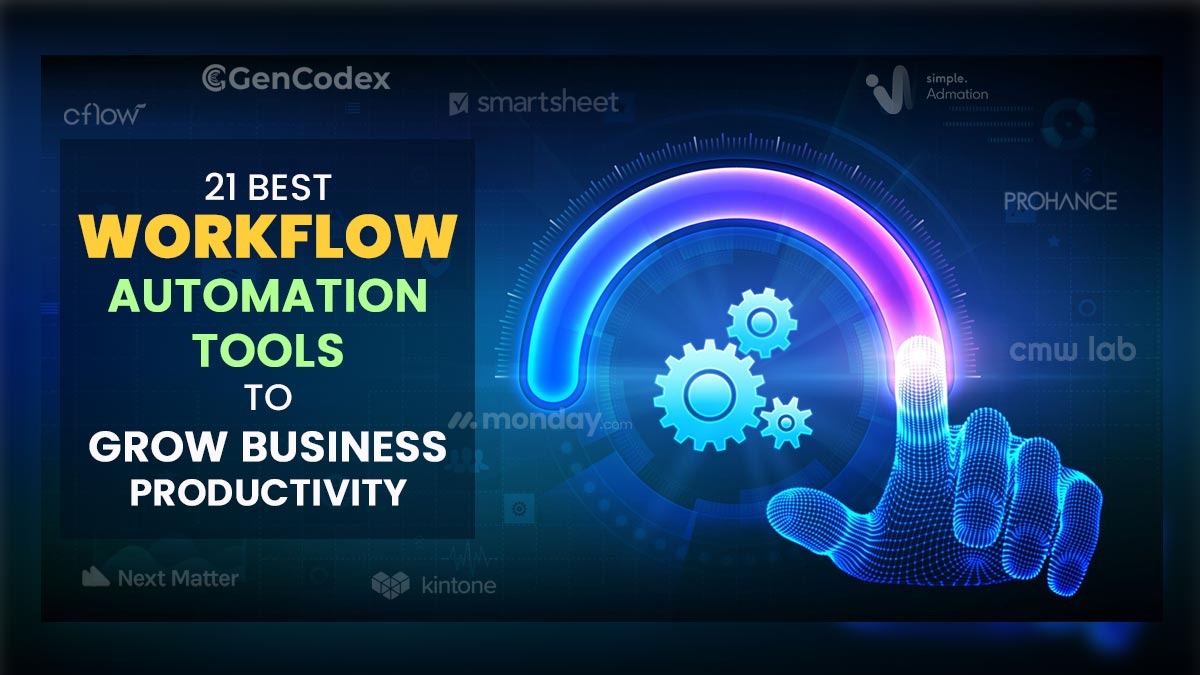
Get StartedWorkflow automation tools and software automate manual processes and repetitive tasks with rule-based logic, improving productivity, efficiency, and organizational accuracy. These tools enable businesses to achieve desired outcomes efficiently, consistently, and accurately. Modern businesses increasingly combine workflow automation with GenCodex low-code platform to build custom business applications, automate approvals, integrate APIs, and streamline operations from a single platform.
As companies grow, managing multiple teams, tasks, and communication channels becomes increasingly complex. Miscommunication, delays, duplicated efforts, and inconsistent quality often follow. A business should consider automation when repetitive manual tasks consume valuable time, errors frequently occur, or teams struggle to stay aligned. These challenges signal that processes need to be streamlined.
Adopting workflow automation helps organizations reduce manual work, standardize operations, and improve productivity. For example, sales and marketing teams can automatically capture, organize, and nurture leads, while customer service teams can auto-assign tickets and send instant responses to common inquiries. Human resources departments can streamline onboarding, documentation, and approvals.
Although initial setup may seem challenging, the long-term benefits greater efficiency, reduced costs, improved accuracy, and better team collaboration far outweigh the effort. Workflow automation is no longer optional; it is essential for sustainable business growth.
What are Workflow Automation Tools?
AI-powered workflow automation tools are software that streamline and optimize organizational workflow processes. These tools will take over the repetitive tasks in the process workflows to improve the overall productivity of the entire process. Choosing the right workflow automation tools can directly improve a business’s bottom line.
How Do AI-Powered Workflow Automation Tools Work?
AI-powered workflow automation tools work by converting business operations into structured, event-driven workflows that execute automatically based on predefined rules and conditions. Instead of relying on manual coordination, these platforms introduce a workflow orchestration engine that governs how tasks move across people, systems, and departments.
Identification and Mapping: The workflow automation lifecycle begins with workflow identification, where organizations select high-volume or approval-driven processes suitable for automation. These processes are translated into workflow configurations, defining each step, stakeholder, data input, and dependency. This structured mapping enables automation platforms to understand how work should flow under different business scenarios.
Execution: Once mapped, event triggers initiate workflow execution. Triggers may include form submissions, data updates, API events, or time-based conditions. Each trigger activates workflow rules and conditional logic, which determine routing paths, approval hierarchies, escalation policies, and exception handling. This ensures that every task follows standardized process control logic, reducing errors and delays.
Optimization: After execution, workflows are continuously monitored and optimized using real-time analytics and performance metrics. AI-driven insights help identify bottlenecks, SLA breaches, and optimization opportunities, enabling enterprises to refine workflows over time.
Must-Have Features of Workflow Automation Tools
Choosing the best workflow management tool for the unique needs of your business is critical for business success. Modern workflow automation platforms now offer advanced features such as AI automation, AI workflows, and AI agents. Here is a list of features you must look for:
- Ease of Use/Build: The software must help you build workflows easily using a visual drag-and-drop form builder. A low-code workflow automation software is easy and simple to build. Even complex processes can be represented through a visual flow chart.
- Cloud-based Architecture: Having a cloud-based business process management software (BPM) is better compared to on-premise solutions. Accessibility, reliability, and data security for web-based automation software are superior.
- Third-party Integration: Workflow automation tools must seamlessly integrate with third-party applications like ERP, CRM, etc., through API tools like Zapier. Many workflow automation platforms also support integration with Google Sheets for seamless data management.
- Customizability: Automated workflows must allow flexible customizations as per specific business needs. From simple to complex processes, the software must be able to handle any type of workflow.
- Reporting and Analytics: Centralized access to data reports and process analytics empowers businesses with deeper insights for process improvement and optimization. Reports and analytics must be easily visible on a user-friendly interface.
- Data Security: End-to-end encryption of business data enables the safety and security of sensitive information. Single sign-on (SSO) features help ensure secure and centralized user authentication.
- Mobile App: The mobile app enables anywhere, anytime access to the process status and approvals.
- Cost-effective Pricing: Workflow vendors usually price their workflow solutions based on the usage and number of users. The price must also include the cost of implementing, consulting, and supporting.
Top 21 Powerful Workflow Automation Tools
We have curated a comprehensive list of the best workflow automation tools in the market based on the must-have features discussed above. This comparison ought to help you choose the right tool for your business requirements.
1. IFTTT
IFTTT (If This Then That) is a popular automation platform that helps individuals and businesses automate everyday tasks by connecting apps, services, and smart devices.
- Event-Based Automation: IFTTT specializes in event-based automation, allowing users to create simple rules (called applets) that trigger actions across different applications.
- Smart Device Automation: Users can automate lighting, temperature controls, security systems, and voice assistants by connecting devices such as Alexa, Google Assistant, and smart appliances.
Pricing: IFTTT offers a free plan with basic automation capabilities. The Pro plan starts at $2.50 per month (billed annually).
| Pros | Cons |
|---|---|
| Easy to use | Limited advanced logic |
| No coding required | Slow execution sometimes |
| Wide app integrations | Restricted free plan |
| Quick setup process | Dependent on APIs |
| Useful basic automations | Less powerful alternatives |
2. Cflow
Cflow is a preferred workflow management software for small, medium, and enterprise companies. It provides a powerful rules engine that enables users to create rules and conditions to suit their unique business requirements.
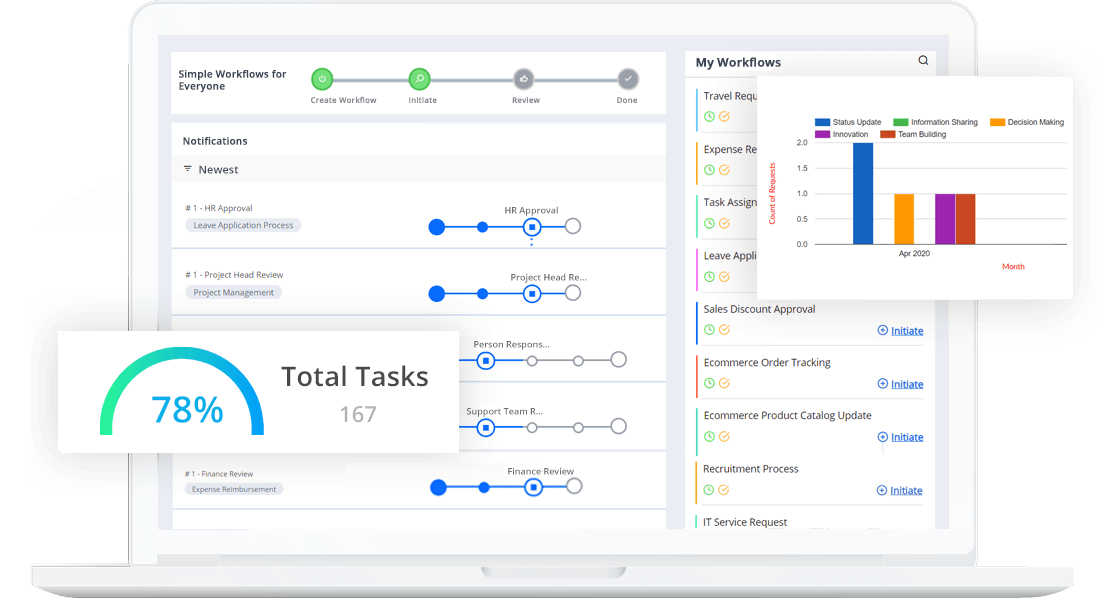
- Visual Workflow Builder: The visual form builder enables you to design process workflows and forms easily using the drag-and-drop option. This no-code BPM tool can be used by just anyone to create custom workflows within minutes.
- Public Forms: Using this feature, you can have a registration form or a feedback form on your website to gather information from the user/visitor.
Pricing: Cflow offers a 14-day free trial. Pricing plans include Joy ($11/month/user), Bliss ($16/month/user), and a personalized Zen plan.
| Pros | Cons |
|---|---|
| Easy workflow automation | Limited advanced features |
| Drag-drop builder | Fewer integrations available |
| No coding required | Basic customization options |
| Quick approvals setup | UI smaller modern |
| Easy interface design | Scaling limitations. |
3. Gencodex
In today’s fast-paced tech landscape, achieving true digital sovereignty requires robust, homegrown solutions that empower teams to build and scale without friction. The GenCodex Project Management Tool is a comprehensive platform engineered to elevate productivity, streamline collaboration, and support the dynamic workflows of modern enterprises.
Built with a focus on technological self-reliance, this intuitive platform removes the chaos from project planning by offering real-time tracking, seamless team communication, and advanced automation. Whether you are managing a small agile team or coordinating complex software deployments, The provides a unified ecosystem to keep your development cycles on track, on budget, and fully optimized.
- Task Management Drive every assignment from inception to successful delivery. This involves deconstructing complex use cases into actionable steps, delegating them to the right personnel, monitoring their advancement, and guaranteeing on-time execution.
- End-to-End Project Lifecycle Control: Command your project’s entire trajectory from initial strategy to final rollout. Establish key milestones, monitor deadlines, and guarantee seamless phase transitions with total transparency.
- Intelligent Delegation & Team Synergy: Distribute work based on individual expertise while establishing distinct responsibilities. Foster uninterrupted teamwork via role-specific access, elevating communication and accountability across your workforce.
- Custom Workflows & Strategic Categorization: Sort assignments by priority, difficulty, and urgency. Build adaptable workflows tailored to your operational requirements, empowering teams to concentrate on high-value tasks and boost overall productivity.
- Live Monitoring & AI Enhancements: Keep a pulse on your projects with real-time tracking and comprehensive reporting. Leverage artificial intelligence to handle redundant duties, pinpoint workflow congestions, and drive intelligent, rapid decision-making.
- Data-Backed Insights & Scalability: Elevate output with a platform engineered to scale alongside your enterprise. Utilize intuitive dashboards and analytics to measure performance, refine operations, and accelerate project completion.
- Pricing: The software is in the beta version, and pricing will be announced at a later date.
| Pros | Cons |
|---|---|
| Easy project planning | Platform still growing |
| Task tracking features | Limited ecosystem support |
| Team collaboration support | Learning curve initially |
| Resource management tools | Fewer third-party integrationss |
| Timeline monitoring tools | Documentation still developing |
4. Smartsheet
Smartsheet is a workflow management software based on spreadsheets. It is a spreadsheet like project management tool that has won quite a few awards for becoming a favorite business tool quickly.
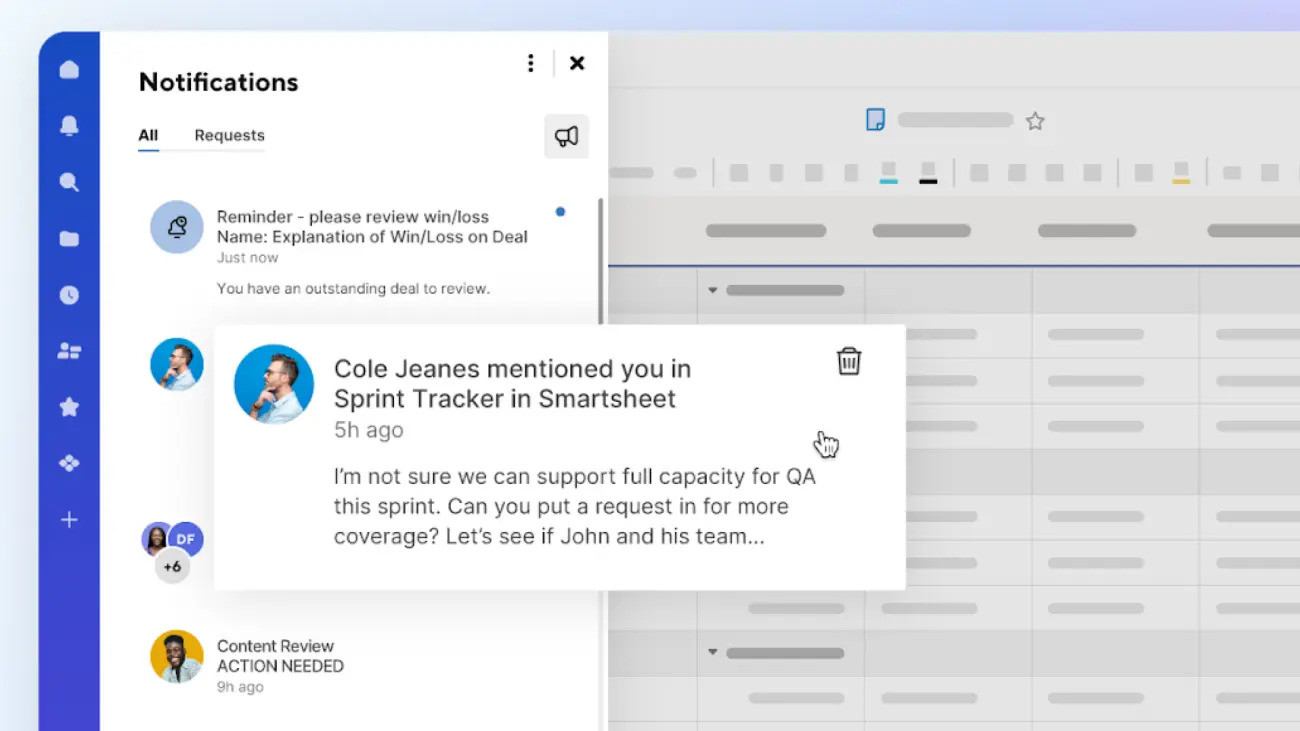
- Interactive Visualization: It is an interactive workflow tool that provides several features like workflow automation and visualization of tasks in Gantt charts, calendars, and card views.
- Critical Path Feature: This feature highlights all the tasks that directly impact the project completion date to keep an eye on important milestones.
Pricing: Smartsheet is priced at $7 per month per user.
| Pros | Cons |
|---|---|
| Strong project tracking | Steep learning curve |
| Spreadsheet-style interface | Expensive pricing plans |
| Automation Abilities | Complex for beginners |
| Enterprise-ready Features | UI feels outdated |
| Good Reporting tools | Limited free plan |
5. Monday
Monday does not restrict itself to project management alone. The format of this tool vaguely resembles a spreadsheet, only a better-looking one.
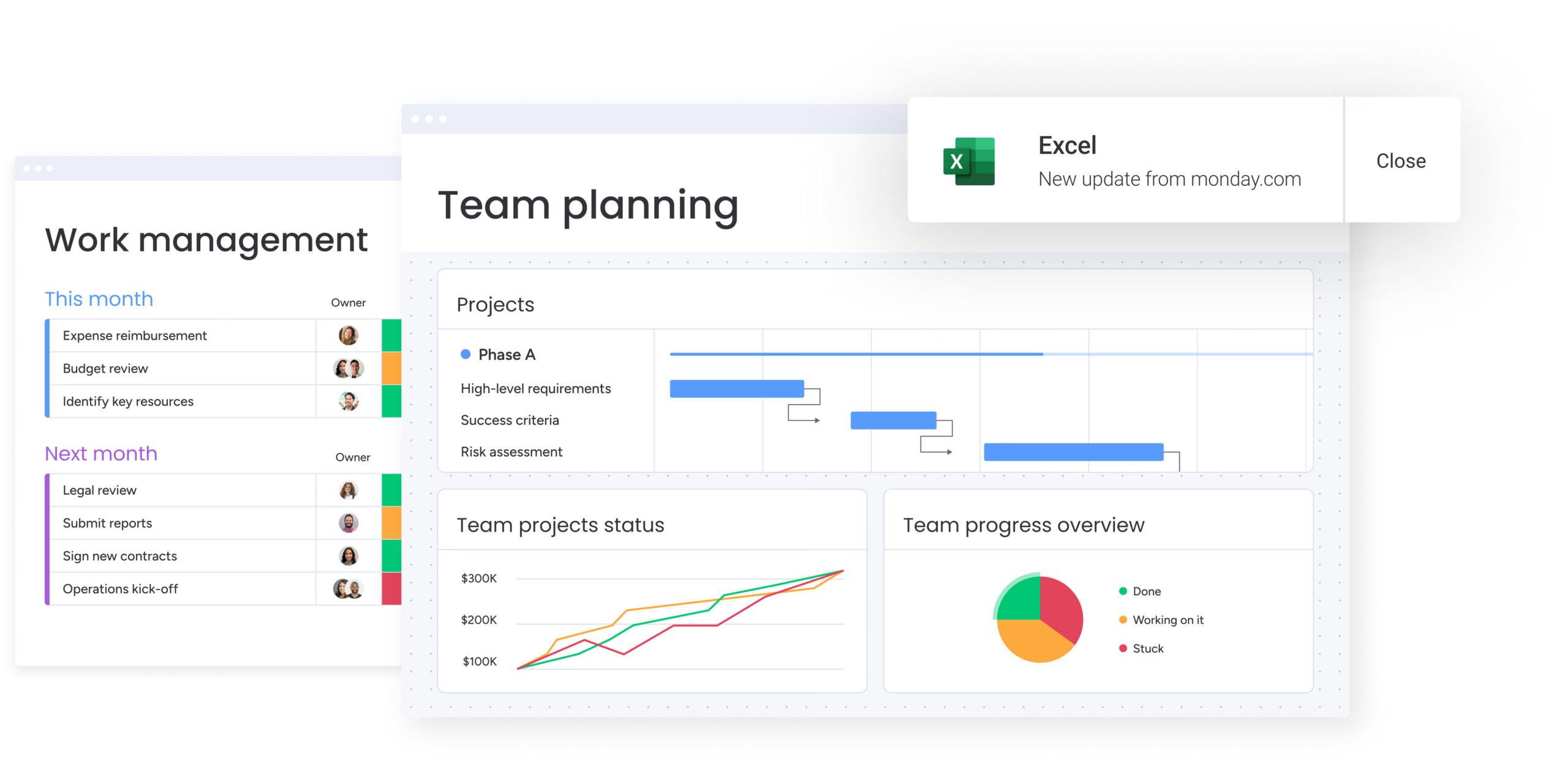
- Visual Super Table: Monday operates with a visual super table that provides over 200 templates and 30+ drag-and-drop column types.
- Comprehensive Data Views: You can view your data in several easily understandable formats like Kanban, Calendar, Timeline, Gantt charts, workload, and forms.
Pricing: Monday is priced at $6 per user per month. A free plan is offered for up to 2 users.
| Pros | Cons |
|---|---|
| Visual task management | Higher pricing plans |
| Custom workflows support | Limited free features |
| Strong integrations support | Automation limits tiers |
| Team collaboration tools | Can get complex |
| User-friendly interface | Notification overload |
6. ProProfs
ProProfs is a smart workflow automation tool that offers real-time updates on the project life cycle.
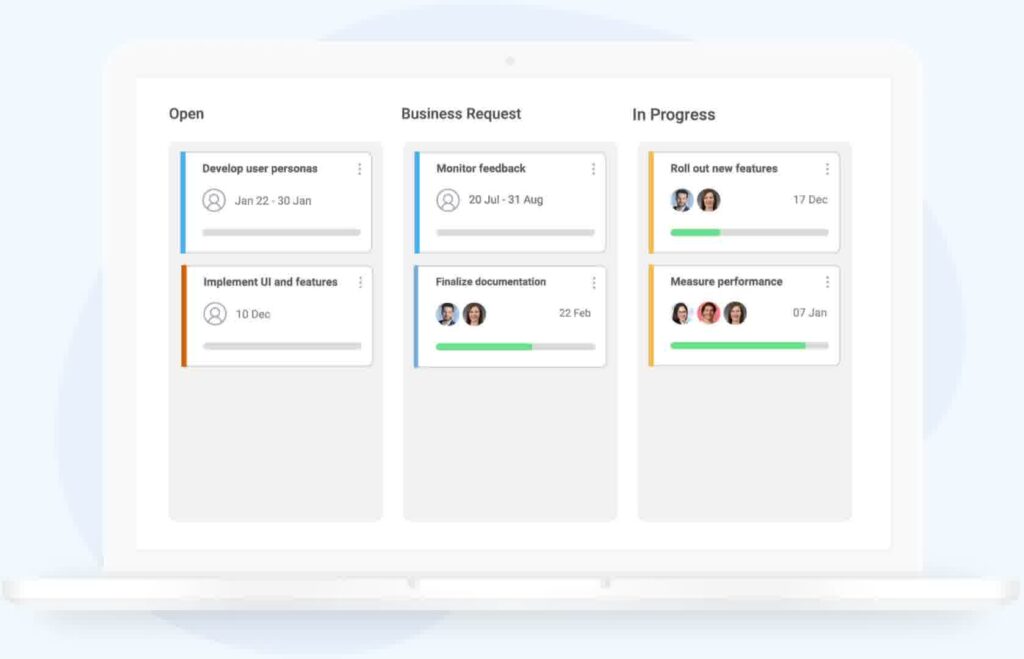
- Single Source of Truth: The intuitive dashboard provides a single point of view of project progress and status.
- Tracking Time and Invoices: This workflow software provides timers that can track and calculate billable and non-billable hours for the clients. Automated invoicing makes client billing a hassle-free affair.
Pricing: ProProfs is available in two pricing plans: Essentials priced at $2 per user per month, and premium-priced at $4 per user per month.
| Pros | Cons |
|---|---|
| Easy workflow automation | Limited advanced features |
| Drag-drop builder | Fewer integrations available |
| No coding required | Basic customization options |
| Quick approvals setup | UI smaller modern |
| Easy interface design | Limited ability to scale |
7. Nifty PM
Nifty is a project management app that can be used for automated workflow management.
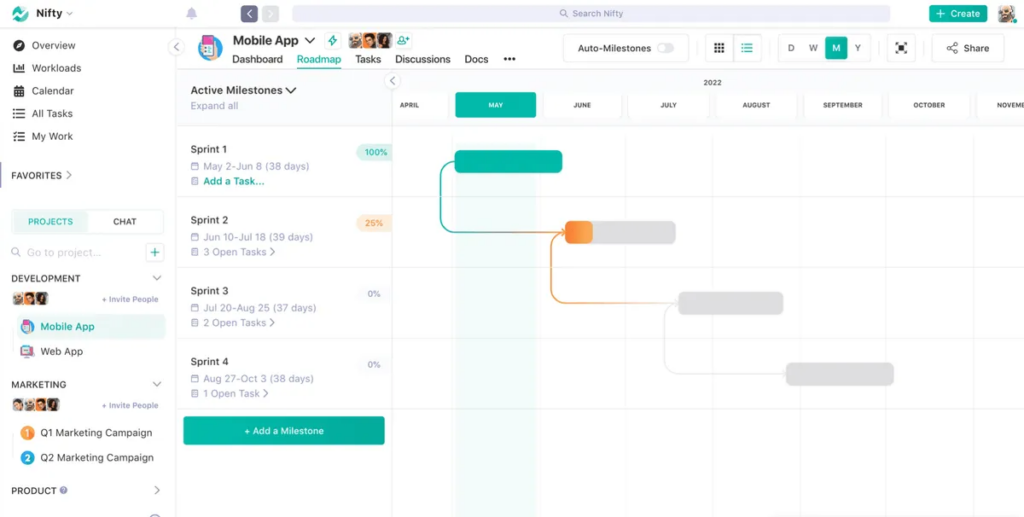
- Task Management: Users can automate your workflow by assigning users to entire task lists. Task lists can also be converted into milestones to automate their progress as and when they are completed.
- Document Management: You can streamline your creative feedback process with the File Proofing feature by automatically creating subtasks based on comments left on the content.
Pricing: Nifty PM provides Starter ($5/month/user), Pro ($10/month/user), and Business ($16/month/user).
| Pros | Cons |
|---|---|
| Team collaboration focus | Fewer integrations available |
| Project milestone tracking | Limited advanced features |
| Built-in communication/td> | Basic reporting tools |
| Simple interface design | UI customization limited |
| Affordable pricing plans | Smaller system |
Related: 7+ Low Code Website Builders to Build Your Site Quickly
8. Kintone
Kintone is an interactive workflow tool that allows users to build a wide variety of customizable apps from scratch with the help of templates or existing spreadsheets.
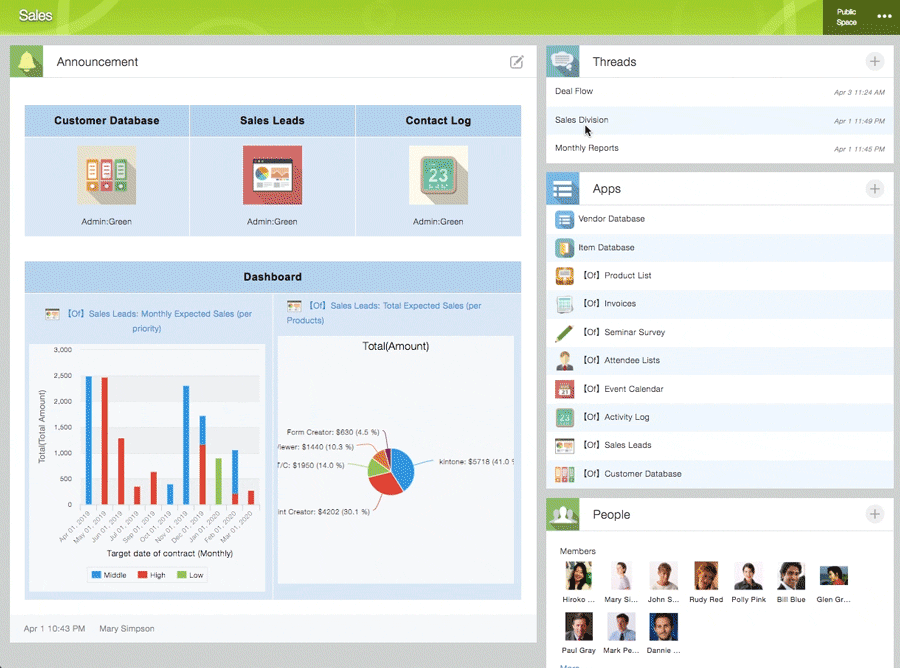
- Custom Workflows: The easy-to-use visual drag-and-drop workflow builder lets you create workflows with rich text fields, date fields, drop-down menus, number fields with built-in calculations, and spaces for attachments.
- Permissions and Approvals: Automating the approval process ensures that all the necessary approvals are done on time and the appropriate team member is notified after approval.
Pricing: The cost of Kintone comes to $24 per user per month with a minimum user requirement of 5.
| Pros | Cons |
|---|---|
| Custom app builder | UI less modern |
| Project milestone tracking | Limited advanced features |
| Strong data management/td> | Limited design flexibility |
| No coding required | Learning curves are presented |
| Workflow automation tools | Integration limitations |
9. Next Matter
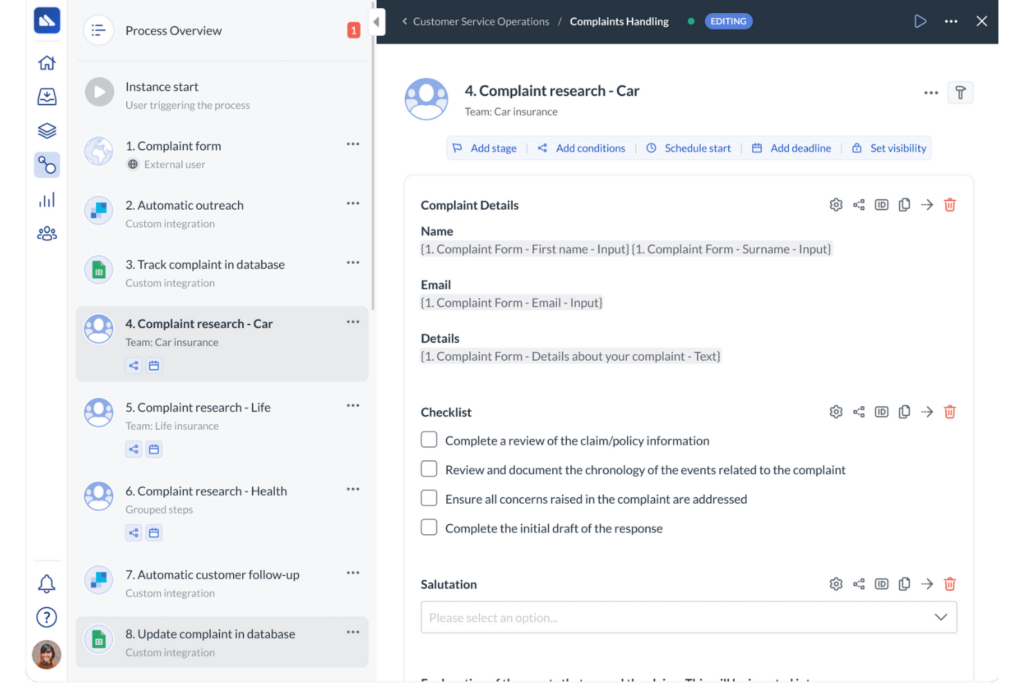
Next Matter is a workflow automation tool best suited for scaling businesses. You don’t just get a workflow automation tool, you get a dedicated partner with management consulting and technical expertise.
- Intelligent Task Pooling: All the tasks under the workflow tool are pooled logically into dedicated work streams and to-do lists.
- Seamless External Collaboration: You can assign single or multiple process steps to external collaborators. External users get a frictionless branded execution experience with Next Matter.
Pricing: There are 4 pricing plans available: Starter ($29/month/user), Professional ($49/month/user), Enterprise ($99/month/user), and Custom.
| Pros | Cons |
|---|---|
| Strong workflow automation | Complex initial setup |
| Real-time process tracking | Higher prices plan |
| Enterprise-grade platform/td> | Limited local resources |
| API integration support | UI design issues |
| Flexible architecture | Workflow automation tools |
10. ProcessMaker
ProcessMaker is one of the many open-source workflow tools that present an affordable option to model approval-based business processes.
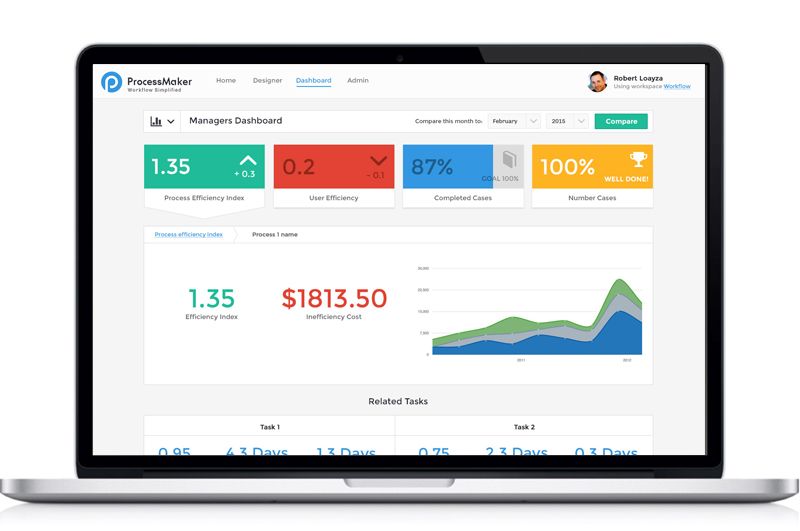
- Low-Code BPA Software: The BPMN 2.0 notation is used to depict the processes. The process modeler helps businesses design business processes from scratch within a few days.
- Email Actions: Decision-makers can easily approve or reject requests (sent as email) from their mailbox or Slack.
Pricing: Standard ($1,495 per month billed annually), Enterprise ($2,479 per month billed annually), and Custom are different plans offered.
| Pros | Cons |
|---|---|
| BPMN workflow support | Steep learning curve |
| Low-code automation tools | UI feels complex |
| Process modelling features | Higher implementation cost |
| Enterprise scalability support | Requires training effort |
| Strong integration capabilities | Setup time longer |
11. Miro
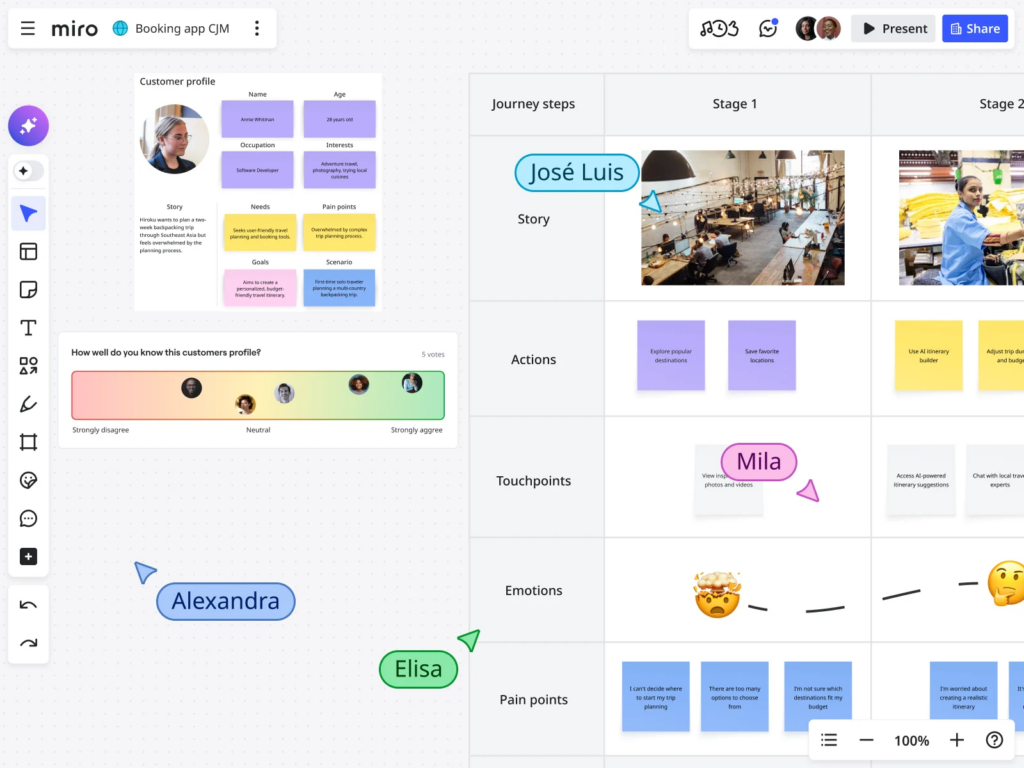
Miro is a collaborative online whiteboard that provides more than 1,000 templates that include mind maps, Gantt charts, research boards, flow charts, and product wireframes.
- Online Whiteboard: Miro is an infinite canvas that helps teams ideate, strategize, and stay organized.
- Miro Trust Center: The Miro Trust Center provides enterprise-grade security across all aspects of team collaboration, ideation, and storage.
Pricing: Miro offers the Team plan priced at $8 per month per user, and the Business plan priced at $16 per member per month.
| Pros | Cons |
|---|---|
| Visual collaboration boards | Limited automation features |
| Real-time team collaboration | Can get confused |
| Easy brainstorming tools | Performance on large boards |
| Template-rich environment | Pricing for teams |
| Simple user interface | Limited offline access |
12. Process Bliss
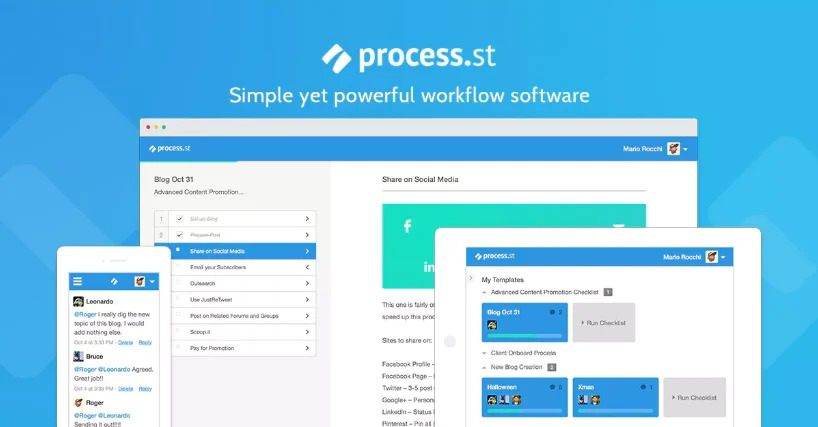
Process Bliss is a powerful workflow management software suitable for small to medium businesses. The tool provides strong template features and a top-notch workflow builder.
- Creating Templates: Users can create repeatable templates for campaigns, approvals, onboarding, and reporting.
- Process Improvement: The built-in process improvement feature includes quality analytics template feedback, and the ability to record when steps are missed.
Pricing: Process Bliss is priced at $10 per user per month.
| Pros | Cons |
|---|---|
| Simple process management | Limited advanced automation |
| Checklist-based workflows | Basic integrations only |
| Easy to use tools | Not enterprise focused |
| Quick onboarding process | Customization limitations |
| Good team visibility | Feature set limited |
13. Admation
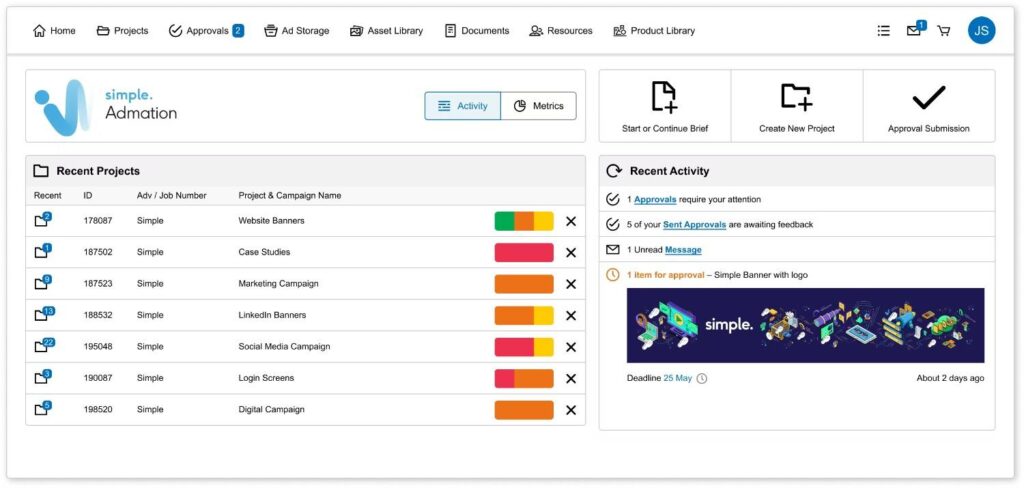
Admation is a project management software that is suitable for marketing teams and agencies.
- Resource Management: The resource planner provides greater visibility and accuracy in scheduling resources.
- Asset Management: You can consolidate your current marketing assets with your projects by saving them in the admation’s asset library.
| Pros | Cons |
|---|---|
| Marketing workflow focus | Complex UI navigation |
| Proofing approval tools | Learning curve present |
| Resource management features | Higher pricing plans |
| Project tracking tools | Limited integrations |
| Centralized workflow system | Setup time required |
14. Zoho Flow
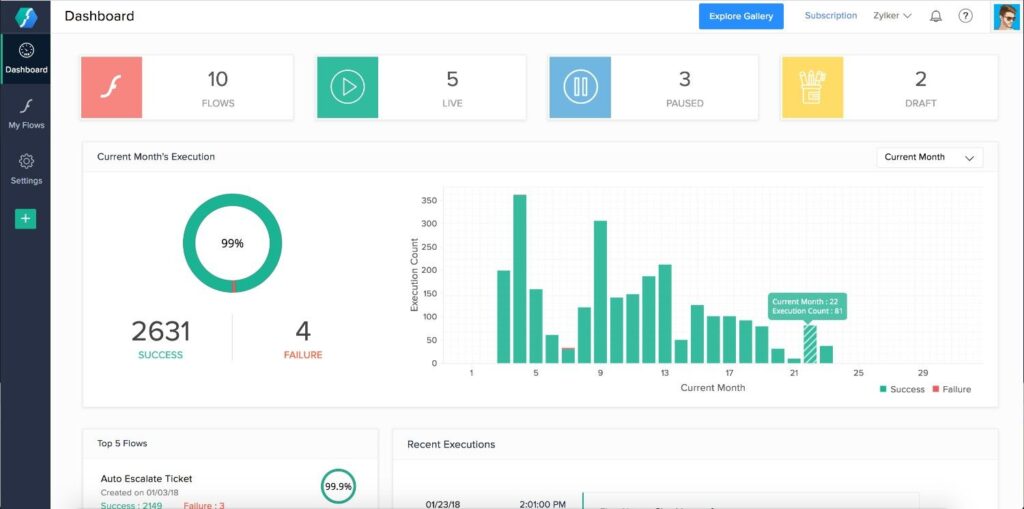
Zoho Flow is a cloud-based integration and workflow automation platform that helps businesses connect their favorite apps and automate routine tasks effortlessly.
- App Integrations: The platform supports 600+ pre-built integrations. Its tight integration with the Zoho suite ensures seamless data flow across departments.
- Logic and Control: Users can create powerful, logic-based workflows using features like delays, conditionals, loops, and variables.
Pricing: Zoho Flow offers a Free plan. The Standard plan is $10 per organization/month, and the Professional plan is $24 per organization/month.
| Pros | Cons |
|---|---|
| Strong Zoho integration | Limited advanced logic |
| Drag-drop builder | UI less intuitive |
| Affordable pricing plans | Debugging can be difficult |
| Custom workflows support | Performance issues sometimes |
| Wide app connections | Learning curve present |
15. Make (formerly Integromat)
Make is a powerful visual automation platform that lets users design, build, and automate workflows across apps and systems using an intuitive drag-and-drop interface.
- Advanced Data Handling: One of Make’s strongest capabilities is its built-in data manipulation tools. Users can transform, parse, aggregate, or route data dynamically between systems.
- Custom Logic: Make allows for filters, routers, aggregators, and error handlers, giving users complete control over how workflows behave.
Pricing: Make offers a Free plan with 1,000 operations/month. The Core plan is $9 per month, and the Pro plan is $16 per month.
| Pros | Cons |
|---|---|
| Advanced automation builder | Steep learning curve |
| Visual workflow editor | Complex for beginners |
| Complex logic support | Pricing can increase |
| Wide integrations support | Debugging complexity |
| Flexible scenario design | UI initially confusing |
16. ProHance
ProHance is a software solution designed to help organizations improve their productivity by providing insights into employee performance and operational processes.
- Process Analysis: ProHance can analyze work processes to identify bottlenecks, inefficiencies, and areas for improvement.
- Resource Optimization: ProHance can help organizations optimize resource utilization by identifying underutilized resources and suggesting improvements.
Pricing: Pricing is provided on request and it varies based on the specific organizational needs.
| Pros | Cons |
|---|---|
| Tracking Workforce Productivity | Employee privacy issues |
| Insights from real-time analytics | Complicated setup for implementation |
| Process optimization tools | Premium pricing options |
| Detailed reporting features | learning curve involved |
| Enterprise-ready platform | minimal integrations |
17. Comindware Tracker
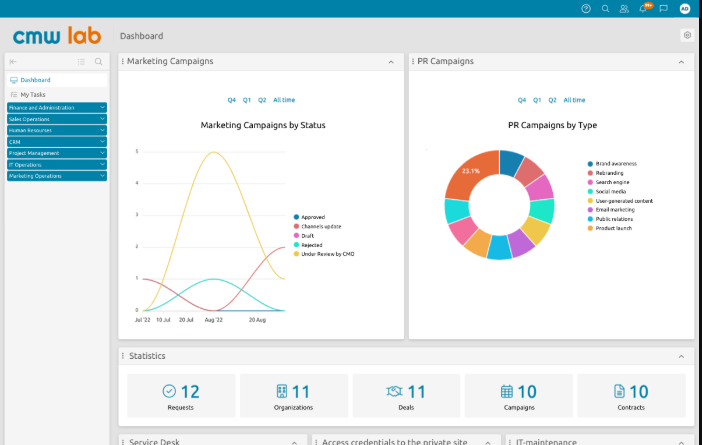
Comindware is a web-based software that does not require IT resources for the setup process.
- Graphical Workflow Builder: The drag-and-drop workflow builder enables easy and quick process modeling and rolling out of new workflows with minimal IT involvement.
- Case Management: The adaptive case management feature in Comindware enables routing, submitting, and handling of cases regardless of their origin.
Pricing: Pricing of Comindware starts at $24.99 per user per month.
| Pros | Cons |
|---|---|
| Tools for automating workflows | UI less modern |
| No-code configuration | Limited integrations |
| Process tracking features | Learning curve present |
| Customizable workflows | Documentation limited |
| Support for Business Scalability | Performance issues sometimes |
18. Zapier
Zapier is one of the most popular workflow automation tools that connects over 6,000+ web apps to automate repetitive tasks between platforms without writing a single line of code.
- Customizable Multi-Step Zaps: Users can build multi-step workflows that include conditional logic, filters, and delays to automate complex business processes.
- App Integrations: It supports native integrations with apps like Google Drive, HubSpot, Salesforce, Notion, and Microsoft Teams.
Pricing: Zapier offers a free plan with 100 tasks per month. The Starter plan is $19.99 per month, and the Professional plan is $49 per month.
| Pros | Cons |
|---|---|
| Easy automation setup | High-cost premium plans |
| Extensive application integrations | Complex logic is limited |
| No coding required | Task limits apply |
| Quick workflow creation | Multi-step costs higher |
| Reliable performance | Execution holds sometimes |
19. Nintex
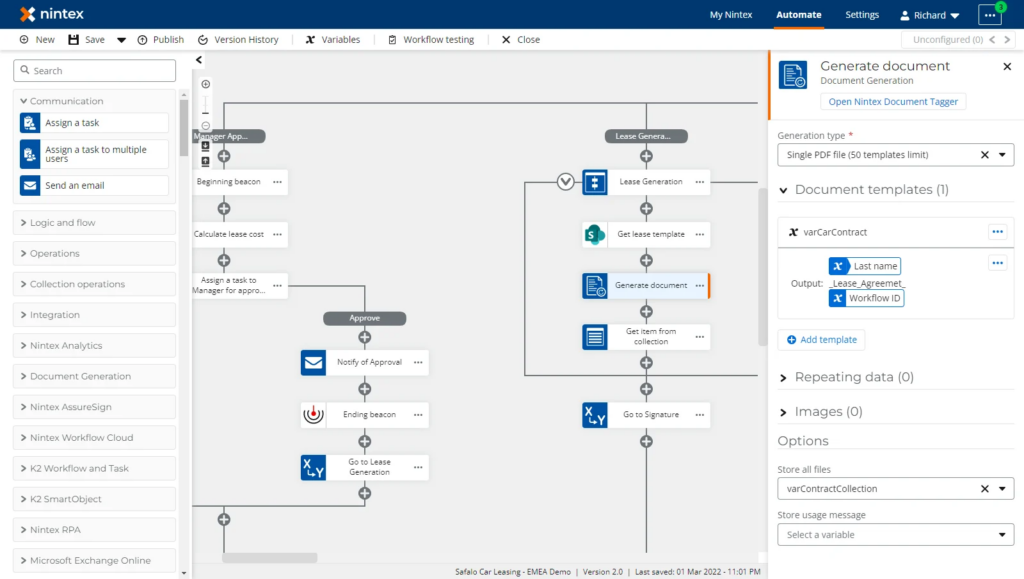
Nintex is an enterprise-grade workflow automation platform designed to simplify and optimize complex business processes across departments.
- Process Intelligence: Nintex leverages AI-driven analytics through its Nintex Process Discovery feature to identify automation opportunities and provide actionable insights into workflow performance.
- Document Generation and eSignature: Nintex includes built-in tools for automated document creation, approvals, and eSignatures through its Nintex DocGen® and Nintex Sign® modules.
Pricing: Enterprise pricing is available upon request, with options for on-premise or cloud deployment depending on organization’s needs.
| Pros | Cons |
|---|---|
| Advanced workflow automation | High pricing plans |
| Automated Workflow Management | Complex execution process |
| Enterprise-grade platform | Requires technical knowledge |
| Strong integration support | Learning curve steep |
| Process mapping tools | Maintenance effort required |
20. Workato
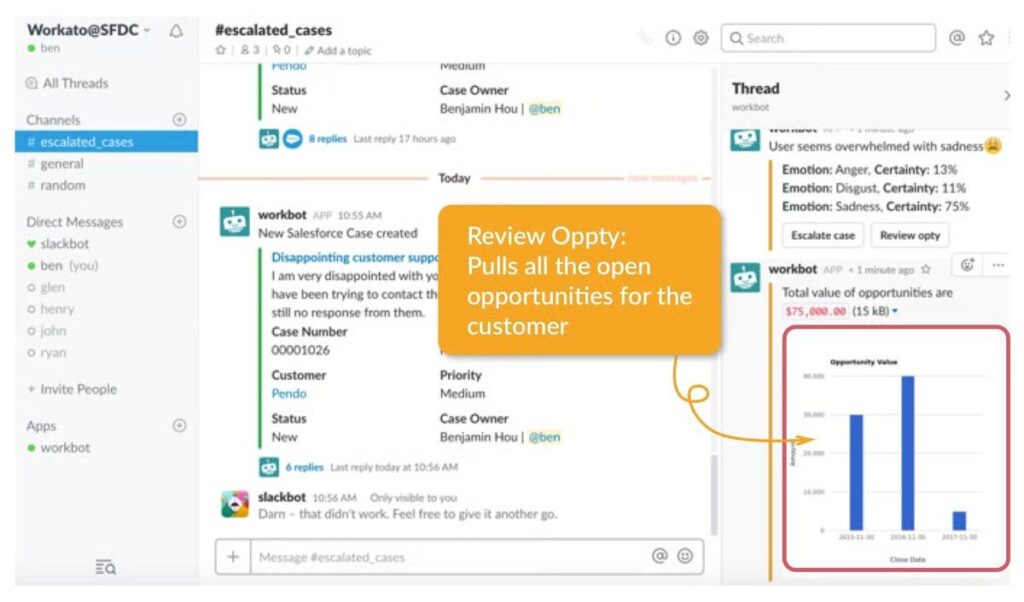
Workato is a powerful enterprise automation and integration platform that connects applications, databases, and teams to streamline business workflows at scale.
- Low-Code Automation: Workato empowers users to build automations using simple, modular “recipes”, which are trigger-action sequences that define how data flows between apps.
- AI and Smart Data Handling: Workato’s AI-driven capabilities allow intelligent decision-making in workflows. Users can leverage Workato AI for data enrichment, predictive routing, and anomaly detection.
Pricing: Pricing is available on request.
| Pros | Cons |
|---|---|
| Enterprise Automation Platform | Excessively high pricing |
| Advanced integration capabilities | Complex initial setup |
| AI-powered automation tools | Requires technical expertise |
| Scalable architecture design | Overkill for small teams |
| Strong security features | Learning curve steep |
21. Airtable Automations
Airtable Automations transforms the popular no-code database tool into a dynamic workflow automation platform.
- No-Code Automation Builder: Airtable Automations lets users create workflows directly within their base using simple “when this happens do that” logic.
- Powerful Scripting: For advanced users, Airtable includes a Scripting app that supports JavaScript-based custom automation.
Pricing: Airtable offers Automation in all paid plans. The Team plan is $20 per seat/month, and the Business plan is $45 per seat/month.
| Pros | Cons |
|---|---|
| Easy database automation | Limited advanced logic |
| No-code workflow setup | Automation limits levels |
| Flexible data structure | Scaling challenges present |
| connectivity options | Performance issues sometimes |
| User-friendly interface | Pricing increases quickly |
Conclusion
workflow automation has become an essential part of running a successful business today. Companies that want to grow and thrive in a challenging market need to adopt these automated processes. By using smart technology tools that are easy to set up and use, businesses can streamline their operations, reduce tedious manual tasks, and boost overall efficiency. There are many different approaches available, from user-friendly options to more advanced systems, including new AI tools like GenCodex. This means every business can find the right solution to meet its specific needs and support long-term growth.