Table of Contents
Build Real Apps & Web with GenCodex
Transform your ideas into scalable solutions with a powerful low-code platform
Get StartedIn the world of modern software development, one thing that can catch businesses off guard is that if the project is hit by any minor mistake, like a dependency being missing, a server configuration getting misaligned, or even a wrong project configuration, it can cause the project multiple setbacks. These can include severe application downtime, security threats, and even a completely failed deployment.
Use up and down arrow keys to resize the meta box pane.
Here comes the saviour, i.e. a configuration management tool that can handle all these issues without breaking a sweat. These configuration tools are made to assist teams in setting up, managing, and keeping up the overall software environment in a much better manner.
Use up and down arrow keys to resize the meta box pane.
These configuration management tools help developers keep track of all the changes made, automate tasks that are repetitive in nature, ensure consistent environment upkeep, and finally keep the configurations error-free. All these are done without manually configuring any server or the application, so that teams can effortlessly run the systems just by automation.
We have understood the importance of configuration management tools, but choosing the best one for your organisation can be a difficult task altogether.
Here we will look at all 10 best contenders for being the top configuration management tools available for software development teams.
Also, the discussion will be based on their important features and their efficiency in providing the best possible assistance to teams that can build the software, manage it effortlessly, and finally deliver it to the intended clients in a smooth transition.
What is The Definition of Configuration Management Tools
Configuration management tools are a systems engineering process to make a set of fine tune consistency of products throughout overall production. This includes functions, smooth performance, as well as the attributes of its look and feel in the actual market perception about its design, lifecycle recycling, and information on its operations in its overall period of work cycle.
A configuration management tool is a great way to automate systems on automation without interfering with them manually several times.
The list of components is:
- Source code
- Configuration files
- Databases
- Application dependencies
- Servers
- Cloud resources
- Environment variables
- Infrastructure settings
- Deployment configurations
All these configurations are set to be required for smooth consistency across the process, including development, testing of the product, staging and finally the production environment.
If one wants to understand it with an example, assume that there are 50 servers for a development team. And imagine if, in case, all the servers are to be configured each and every time manually, there will be a lot of differences in configuration on each level of servers, which may multiply with the number of servers consequently.
Here comes the saviour, i.e. the configuration management tool that will completely automate the process after the desired configuration has been set and subsequently applied.
This has a lot to do with everyday inconsistency, repeatability, tracking changes in real time, and complete automation of the development workflow.
Understand the Importance of Configuration Management in the Software Development Cycle
In modern times, applications have a vast number of configuration items that can be exhausting if management does the work manually with the assistance of a small team. The team might suffer from misalignment of the configuration, deployment failures, inconsistent environments, and troubleshooting to resolve an outage.
Here comes the configuration management tool, which manages these changes with ease:
The benefits of having a configuration management tool can be understood as:
- Version Control at its Best: Controlling and tracking the version of each deployment gives greater scrutiny than anything else, where teams can have full control over the identity of who made changes, when it was modified, and even what was modified in the process.
- Deployment at a Quicker Speed: With the obvious result of faster deployment with the help of automation, all the redundant manual configuration tasks are easily manageable, giving way to quick, predictable software deployment.
- Even & Balanced Development Environments: Configuration management tools assist developers in a balanced and even environment throughout the development, testing and production phases.
- Minimum Configuration Errors: By using configuration tools, standard configurations can be applied to the entire software, helping teams to keep errors in check that could otherwise arise when configuring the large environment manually.
- Troubleshooting Made Easier: With the help of automation and complete tracking of configurations at each level, developers are able to easily get hold of any changes or errors that occur much more efficiently.
How to Select the Right Configuration Management Tool
The best configuration management tools will be listed and reviewed as per their market reach.
First, understand the selection criteria for selecting the best configuration management tool.
In order to shortlist the top configuration management tools for DevOps in 2026, the criteria must be very practical and must align with the actual functionality and usability for the needs of DevOps. The shortlist will be based on the tools’ real-world practicality, scalability, easy to deploy, and its automation capabilities.
The configuration management tools selected here are not only ranked among the Google search results but also bring valuable input to actual software automation.
Points that were noted down in preparing the list of top configuration management tools:
Easy is it to set up and learn its working
Almost beginner-friendly tools were easily the high priority, as they were very easy to understand and their documentation was much clearer to grasp. Their features do not need expertise to begin and still make a high impact for experienced DevOps teams to leverage.
Tool automation and system configuration
The top-tier configuration management tools are much better in automation complete systems and can carry out the required updates for longer, thus making manual configurations redundant in all environments.
Performance and scalability in the system
The configuration tools should be reliable under extreme pressure of managing thousands of cloud servers at once without even breaking or slowing down during deployment.
Integration with DevOps and the cloud
Integration is a main factor for any tool,l and it has also been counted here as seamlessly fitting into the Infrastructure-as-Code workflows, containers, cloud platforms, as well as CI/CD pipelines.
Security, reliability and Compliance Following
It depends on how strictly a configuration tool can strictly enforce the policies and can track the audits while; reducing any misalignment in the configuration is a win-win for any production-based environment.
Tool Support and Follow-up Community & Ecosystem
Any configuration tool that can easily adopt a community and offers timely updates with vendor support in the long term is a sure-shot listing winner.
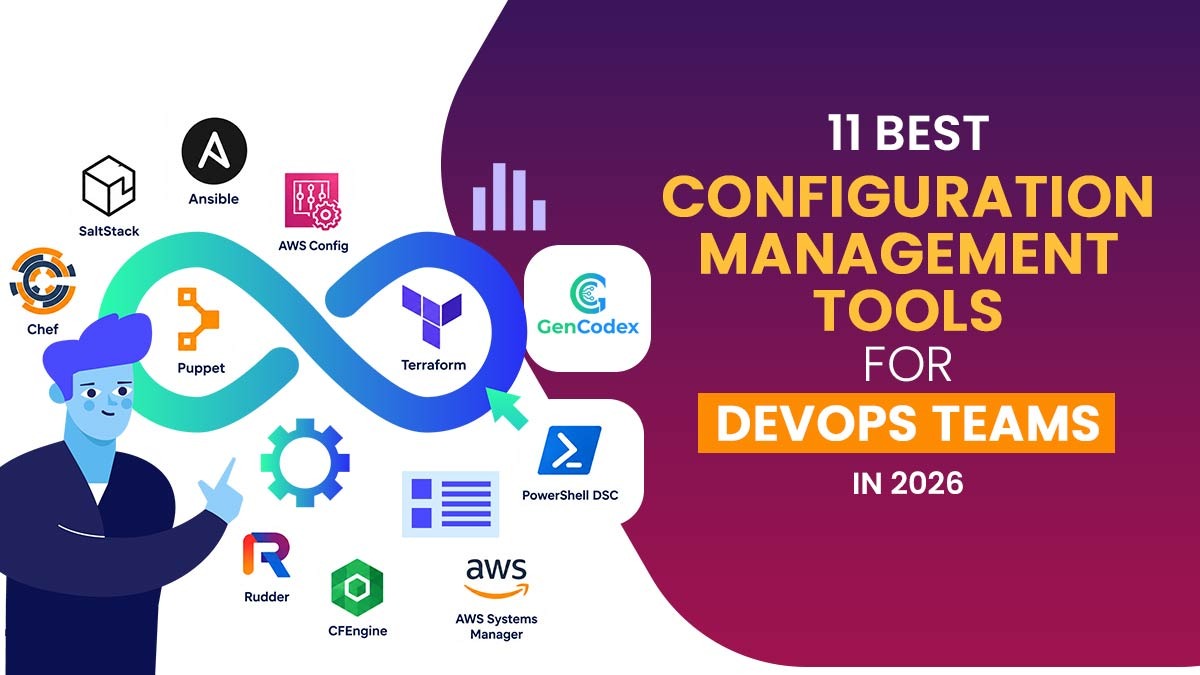
11 Best Configuration Management Tools for Modern Development Teams
If we look at multiple configuration management tools, depending on the solution they provide, there are dozens of tools that solve source code management, server configuration, infrastructure provisioning, and infrastructure automation.
So here are the top 11 configuration management tools in DevOps:
1. Ansible
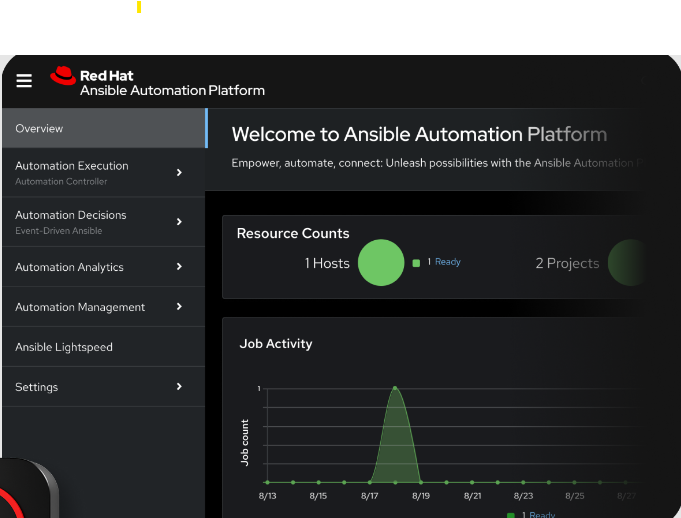
Ansible is an automation and configuration management tool that is agentless, which utilises YAML playbooks in order to automate the configuration of a server, deployment of applications, and any infrastructure tasks.
Integrations:
The integration is very well handled with cloud platforms, and windows systems and also with the linux too. Also mention network devices, APIs, SSH, DevOps tools and containers.
Suitability:
The suitability is very well fitted with DevOps teams, IT operations teams, system administrators, and organisations that are managing dozens of infrastructure environments and servers.
Deployment Platforms:
The tool can be deployed using an efficient agentless architecture by utilising SSH and various supported connectivity options.
| Pros: | Cons: |
|---|---|
| Agentless architecture | Maintenance issues over large playbooks |
| YAML syntax simplicity | Technical expertise is required for advanced automation |
| Effortless automation | Diligent playbook organisation is required for complex workflows |
| Extensive platform support | |
| Can be used in infrastructure and application development |
2. GenCodex
GenCodex project configuration management tool is one that offers its skills by combining both project configuration and full-stack application development, dependency management, version control, team collaboration, and deployment workflows in check within a single environment.
Also, it is a great fact that GenCodex can assist developers in configuring both the frontend and backend project, watching out for any dependencies, components that can be reused, version control in detail, team collaboration, maintaining and tracking audits, configuring settings for AI, validation of projects, and also the movement of applications throughout the development and deployment workflow.
Integrations:
GenCodex very well supports SVN and Git, controls complete versions, and can also integrate with databases, libraries, APIs, AI services, as well as dozens of development systems & technologies.
GenCodex also supports some of the popular technologies, including Java, Python, C#, React, Angular and Vue.js, to name a few and also with databases like Oracle and MySQL.
Suitability:
GenCodex is well suited for a range of professionals, including startups, developers, development teams, businesses, students, enterprises, and also citizen developers, by giving them complete options to configure, develop and manage the application while deploying full-stack apps emerging from a unified environment.
Deployment Platforms:
GenCodex widely supports web as well as mobile application development swiftly, along with deployment workflows and project configuration effortlessly. The software enables developers to configure the settings for multiple project layers and further track and manage the applications across all eligible environments.
| Pros: | Cons: |
|---|---|
| Complete project configuration on a single platform | Learning required to utilise advanced features |
| Automated dependency management | Experienced developers required to run complex applications. Specialised infrastructure tools still required apart from GenCodex. |
| Reusable components for faster development | Complex enterprise implementations may need experienced administrators and architects |
| Integrated Version Control with Git and SVN | |
| Collaborative Team feature | |
| Complete Audit tracking | |
| Custom configuration of validation | |
| Frontend backend development | |
| Database and API capabilities | |
| Source code management | |
| Deployment workflows |
3. Terraform

Terraform can be designated as an Infrastructure as Code (IaC) tool that can give functionality to define provisions as well as manage infrastructure by utilising declarative configuration files for teams.
Integrations:
Can be integrated with Microsoft Azure, AWS, Google Cloud, GitHub, Kubernetes, as well as multiple cloud and SaaS platforms via providers.
Suitability:
It very well suits the professionals, including cloud architects, infrastructure teams, DevOps engineers, and multiple cloud environments or the cloud environment managed by the organisations.
Deployment Platforms:
It can support CI/CD pipelines, CLI-based workflows, Terraform Enterprise, HDP Terraform, as well as infrastructure deployment in the cloud.
| Pros: | Cons: |
|---|---|
| Code capabilities based on robust infrastructure | IaC concepts must be learned in advance |
| Support for multi-cloud | Complexities can add up due to state management |
| Effortless automation | Application-level configurations are not suitable |
| Infrastructure controlled by version | |
| Provisions done consistently |
Read Also: How To Configure Projects in Deployment Workflow with GenCodex
4. Puppet
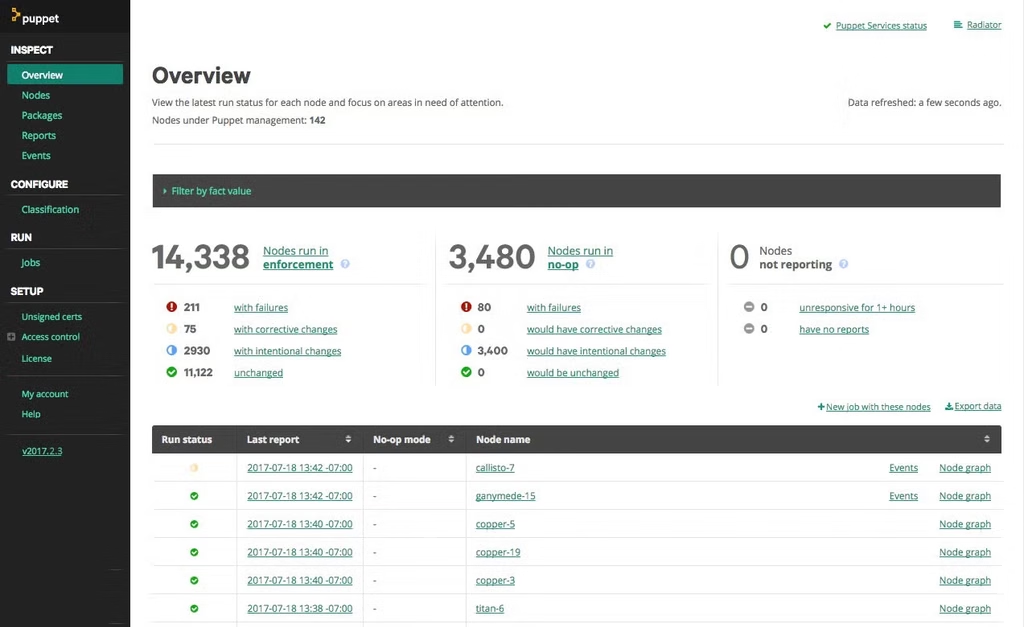
Puppet can be described as a declarative configuration management platform that assists organisations in defining and maintaining the required state of the systems.
Integrations:
It can easily integrate with cloud environments, ServiceNow, VMware, monitoring platforms, Jenkins, security tools and other enterprise technologies.
Suitability:
Very well suited for system administrators, IT teams, DevOps engineers, and companies that require compliance management and centralised configuration.
Deployment Platforms:
A Puppet server is used along with the agents installed on the systems that are managed.
| Pros: | Cons: |
|---|---|
| Configurations can be set accordingly | Additional server agent infrastructure required |
| Automation capabilities are best in class | Learning curve is recognised in Puppet language |
| Feature-rich for enterprises | Small projects can be very complex to handle |
| Consistent in setting configurations | |
| Better Compliance management |
5. Chef
Chef can be called as a code-based configuration management tool as well as an infrastructure automation platform. To define the systems and how the configurations should be done, it utilises recipes and cookbooks.
Integrations:
It can easily integrate with the Chef Infra Server, cloud platforms, CI/CD tools, compliance tools, Git, as well as enterprise infrastructure.
Suitability:
It is well suited for system administrators, DevOps engineers, enterprises managing complex IT environments and infrastructure teams.
Deployment Platforms:
Supported deployment platforms include Chef Infra Server, Chef Infra Client-based deployments and Chef Workstation.
| Pros: | Cons: |
|---|---|
| Infrastructure automation is considered strong | Coding expertise required |
| Configurations are flexible | Beginners may find Ruby tough |
| Feature-rich for enterprises | Complex maintenance and setup |
| Based on code-driven architecture | |
| Policy management has a strong hold |
6. SaltStack
Also widely known as Salt, SaltStack is based on Python automation and the design of the configuration management platform is focused on orchestration, remote execution, as well as system configuration.
Integrations:
Can easily integrate with Windows, Linux, macOS, cloud environments, APIs, infrastructure services, as well as authentication systems.
Suitability:
This one is suitable for DevOps engineers, SRE teams, companies managing large datasets and system engineers.
Deployment Platforms:
The supported platforms are masterless configurations, distributed deployments, Salt SSH and Salt Master/Minion architecture.
| Pros: | Cons: |
|---|---|
| Remotely done quick execution | Learning curve has a steep angle |
| Automation based on events | Complex architecture |
| Architecture that can be scalable | Configuration concepts and state need to be studied thoroughly |
| Orchestration with flexibility | |
| Multiple operating systems supported |
7. AWS Systems Manager

AWS Systems Manager is a management service that is centralised and assists teams in configuring, monitoring, patching, and automating AWS as well as hybrid infrastructure.
Integrations:
It easily integrates with AWS services, on-premises servers, EC2, Chef, CloudWatch, AWS Config, Ansible, as well as multiple other AWS management services.
Suitability:
Very well suited for cloud operations teams, AWS administrators, DevOps engineers, as well as enterprises managing AWS or even hybrid environments.
Deployment Platforms:
It utilises the SSM agent for the management of supported systems and resources and executes as an AWS managed service.
| Pros: | Cons: |
|---|---|
| Tight AWS Integration | Only AWS environments fully supported |
| Centralized management | AWS permissions required extensively |
| Patching is done automatically | Complex for beginners on AWS |
| Capabilities of configuration and compliance | |
| Hybrid environment supported |
8. Rudder
Rudder is a configuration management as well as continuous compliance platform assisting teams to declare, define, apply, monitor, and report on configuration policies.
Integrations:
It can easily support relay servers, APIs, managed nodes, as well as infrastructure and compliance environments.
Suitability:
It can be very suitable for system administrators, DevOps teams, IT operations teams and companies targeting configuration compliance and policy management.
Deployment Platforms:
The deployment requires a rudder server along with the agents that are installed on managed systems. Relay servers are also utilised for distributed environments.
| Pros: | Cons: |
|---|---|
| Configuration management-based GUI | Server agent architecture required |
| Reporting on compliance | Expert skills needed for advanced configurations |
| Enforcement policy | Team requirement me bhi extended |
| Monitoring of configuration | |
| Detection of drift |
9. CFEngine
CFEngine is a lite version of a configuration management and automation platform made for the management of systems as per the required states via a policy-based automation system.
Integrations:
Supports Unix, Linux, CFEngine Hub, Windows, APIs, as well as infrastructure management environments.
Suitability:
Very well suited for system administrators, security teams, enterprises and large-scale infrastructures managed by organisations.
Deployment Platforms:
Utilises a central CFEngine hub as well as light version agents installed on managed systems.
| Pros: | Cons: |
|---|---|
| Light version agents | Understanding policy is time-consuming |
| Low resource usage | Complex for beginners |
| Automation based on tough policies | Infrastructure management focused only |
| Scalability | |
| Self-correcting configuration supported |
10. PowerShell DSC
PowerShell desired state configuration (DSC) can be understood as a declarative configuration framework that allows teams to define as well as maintain the required state of systems.
Integrations:
Works with and integrates with DSC resources, PowerShell, Azure management services, Microsoft, as well as configuration-as-code workflows.
Suitability:
Well suited with the microsoft focused IT teams, DevOps engineers, Windows administrators, and companies utilising PowerShell-based automations.
Deployment Platforms:
Supported on microsoft/azure based management workflows as well as local configuration management.
| Pros: | Cons: |
|---|---|
| Configurations are declarative | Overly suited to Microsoft-oriented environment |
| Well-integrated Microsoft ecosystem support | Multiple DSC versions create issues |
| Required state management | Expert skill set required for PowerShell and configurations |
| Well capable of automation | |
| Cross-platform supported in latest versions also |
11. AWS Configuration
AWS Config is a cloud-based service that can record, analyse, as well as track the AWS resource configurations over a time period. It assists companies in monitoring compliance as well as configuration changes.
Integrations:
It integrates with CloudTrail, AWS Systems Manager, AWS Organisations, Security Hub, Control Tower, as well as multiple AWS services.
Suitability:
Well suited for security teams, compliance teams, AWS administrators, organisations requiring configuration auditing, as well as cloud architects.
Deployment platforms:
Deployed as an AWS-managed cloud service via the AWS console, with supported AWS integrations as well as APIs.
| Pros: | Cons: |
|---|---|
| Complete history of configurations | Only focused on AWS resources |
| Monitoring of compliances | Only for specific project-based application development tool |
| Tracking of resources | Expert skill set required for PowerShell and configurations |
| Visible configuration modifications |
Conclusion:
Looking at the year 2026, deciding on the best configuration management tool is tough not just from the perspective of engineering; it very well settles as a business decision too.
Being a part of DevOps teams, the stability of systems all across cloud and hybrid setups with a good tool that makes seamless configurations is an excellent choice.
A perfect configuration management tool will save the team from frequent outages due to misconfigurations and increase the predictability of an infrastructure working as intended.
The current scenario is growing at a greater speed, with configuration tools advancing and automating complete processes by accurately analysing any errors and fixing configuration drift subsequently. Now they also use AI in prioritising as well as fix the error quicker by integrating with Git via GitOps workflows.
Practices such a zero touch provision, policy-as-code, SBOM aware securityares now more common than ever, giving assistive features to the teams that are trying to make a better and automated infrastructure from the beginning.
For a simple achievement concerning the CIOs, CTOs, and DevOps leaders, there must be a wise decision to pick the environment that is easy and makes you flow rather than holds your project back. In order to understand the best choice for a configuration management platform, it has to uphold the cloud strategy better, integrate completely with the current DevOps tools, and assist you in turning forward towards a more unified, secure and automated multi-cloud setup by eliminating any complexity.
FAQs About Configuration Management Tools
Q.1 – How can a configuration management tool be a problem solver for the tech company?
Ans.1 – A configuration manager is a great tool to automate configurations in an IT environment as well as infrastructure. This can also define the settings for cloud services, networks, applications and servers, along with the necessary resources for running a system.
The configuration manager is used by teams for the purpose of managing document systems, regulating security policies, tracking modifications, automating provisioning, and achieving deployments via automation.
Overall, this helps companies reduce manual work without creating errors.
Q.2 – How can you define configuration management tools in DevOps for businesses?
Ans.2 – A configuration management tool can be defined as a powerful tool in helping DevOps manage and track complete configurations, as well as the settings of infrastructure and application code.
Components such as networks, servers, software versions and other components of the IT system are all part of the ecosystem. The configuration management tool assists the DevOps teams in keeping their project well documented, automated and everything in check as they are focused on delivering software updates.
Q.3 – Why do DevOps teams require configuration management?
Ans.3 – Configuration management can be highly in demand for the best DevOps due to the high-priority tasks in a production environment. Configuration management tools offer confidence to run the project without any disruption in the development of infrastructure and environment.
Q.4 – Why is an organisation required to build a better base for configuration management practices?
Ans.4 – Configuration management tools are assistive to the developers and technical teams, as they can expand project requirements and offer their contributions without making any errors in the environment.
Instead of finding out and sorting any configuration manually, automated servers create a safe system that can handle any adverse situations and further handle the output.
Q.5 – What are the configuration management tools usually preferred by the organisations?
Ans.5 – The common and preferred configuration tools considered industry standards are GenCodex, Ansible, and Chef, which balance application and infrastructure environments.
Is the configuration management tool your organisation deployed well integrated with the cloud environment?
Absolutely, the configuration management tool, such as GenCodex, is seamlessly integrated with cloud platforms in managing the resources on Google Cloud, Azure, as well as AWS.