Table of Contents
Build Real Apps & Web with GenCodex
Transform your ideas into scalable solutions with a powerful low-code platform
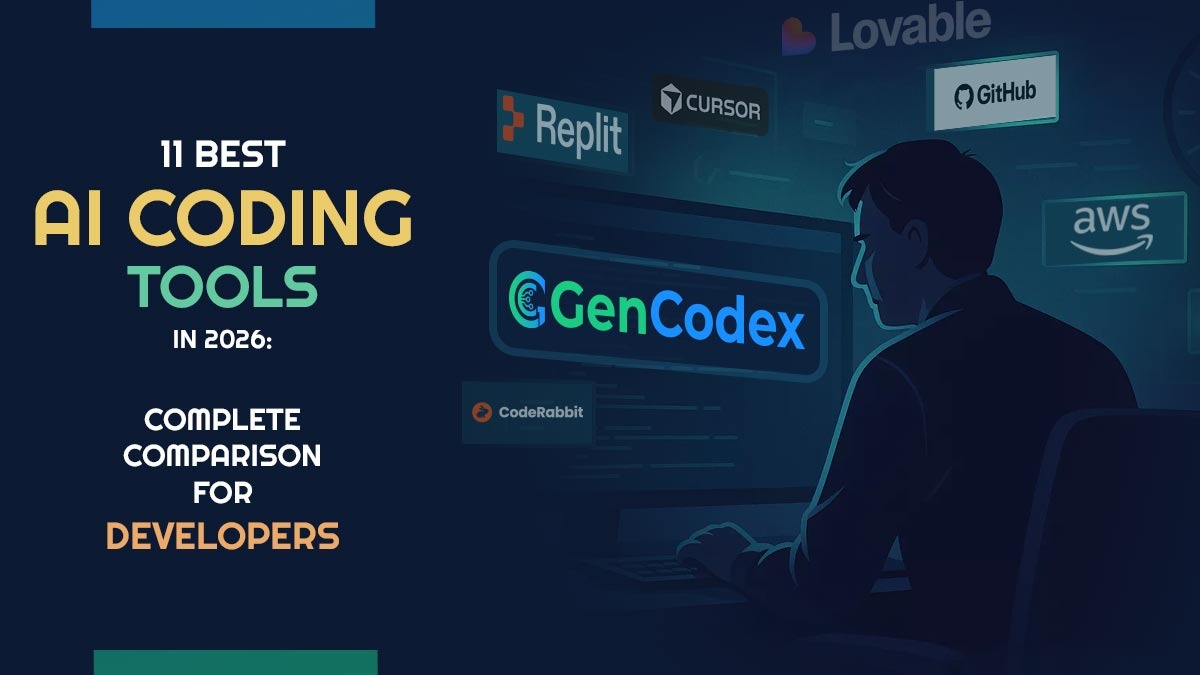
Get StartedArtificial intelligence (AI) tools for coding have changed dramatically and are now considered essential for modern software development, with most engineering teams relying on them to write code faster, reduce errors, automate repetitive tasks, review pull requests, and improve overall productivity. Looking for the best AI coding tools in 2026? Modern developers now rely on AI coding assistants to write code faster, automate repetitive tasks, review pull requests, and build full-stack applications. In this guide, we compare the top AI programming tools including Gencodex (low code development platforms) , Cursor, GitHub Copilot, Claude Code, Windsurf, Replit, and more to help you choose the right AI development platform.
According to the definitive 2026 Stack Overflow Developer Survey, a staggering 82% of commercial engineers now leverage AI-driven coding environments on a daily basis, skyrocketing from just 44% back in 2024. The software engineering terrain has fractured and reshaped itself spectacularly in just eighteen months.
What originated as a glorified predictive text engine has mutated into something significantly more profound: autonomous, agent-driven architectures that strategize, deduce, and deploy across massive code repositories with zero human hand-holding.
Today’s elite utilities don’t merely cap off your lines of code; they decode your underlying vision, predict your subsequent keystrokes, and frequently construct complete functionalities before you’ve even finalized the initial function declaration.
Even more compelling: teams adopting these smart companions reliably document feature deployment speeds accelerating by 2 to 4 times, alongside a quantifiable drop in production-level defects.
What are AI Coding Tools?
AI coding tools are smart software programs designed to assist developers in writing and improving code. They use advanced technologies to understand different programming languages and can suggest ways to make the code better, create new code, and even explain complicated ideas. Unlike traditional coding software that relies heavily on technical commands, these tools can understand everyday language, making coding easier for beginners and helping professional developers work more quickly.
Why Developers are Using AI-powered Coding Assistants in 2026
The adoption of AI coding assistants has become a standard part of software development workflows. Recent surveys show that developers increasingly rely on these tools to enhance productivity and streamline processes.
According to the Stack Overflow 2025 Developer Survey, 84% of developers use or plan to use AI tools, up from 76% in 2024 and around 70% in 2023.
Research from JetBrains found that 85% of developers regularly use AI tools, with 62% depending on an AI coding assistant in their daily work. The Google DORA 2025 report indicates that 90% of software teams utilize AI tools, emphasizing their role in improving efficiency.
Furthermore, 68% of developers believe AI proficiency will soon be a core job requirement. The Stack Overflow survey also revealed that 44% use AI tools to learn coding skills, up from 37% the previous year. Additionally, 36% reported using AI tools for job advancement.
Overall, AI coding assistants have transitioned from experimental to essential tools in software engineering, enabling faster and more efficient development.
How AI is Changing Software Development
Some key ways AI is making a big difference in how software is created include:
- Smart Coding: AI can now take on certain tasks in coding, like reorganizing code, creating documentation, and testing for errors, which saves time for developers.
- Project Understanding: New tools can look at entire software projects rather than just one part, helping to see how everything works together.
- Faster Prototyping: Startups can use AI to develop early versions of their products more quickly, allowing them to get their ideas out to customers sooner.
- Improved Security: AI helps identify potential security issues before the software is even launched, making it safer for users.
- Collaborative Workflows: Instead of just assisting, AI now works alongside developers like partners, helping to create and improve software together.
How We Choosing the Best AI Coding Tools
When picking the best AI coding tools in 2026, we focused on several key factors:
Reliability of Code: We looked at whether the tool produces code that works well and can be executed without issues.
Language Support: We considered how well the tool can handle different programming languages, like Python, JavaScript, Java, and C++.
Compatibility with Development Environments: It was important to us that the tool works smoothly with popular coding software, such as VS Code and JetBrains, as well as online coding platforms.
Safety and Privacy: We evaluated whether the tool keeps your sensitive code safe and meets important security standards.
Affordability: We checked if the prices are reasonable for a range of users, including individuals, small businesses, and large organizations.
Collaboration Features: We also looked into whether the tool allows multiple users to edit code together, track changes, and manage projects effectively.
Quick Comparison of the Best AI Coding Tools 2026
Choosing the right AI developer coding tool depends entirely on what part of the workflow you want to improve: writing code, reviewing it, or building full apps from prompts. This table gives you a clear side-by-side view so you can quickly compare features, pricing, and best use cases, and pick what fits your workflow without overthinking.
| AI Developer Tools | Type | Starting Price | Best For |
| Gencodex AI Builder | AI Enterprise Suite | Custom Pricing | Scalable enterprise development and compliance software logic |
| Cursor | AI IDE | $20 per month | Working on large codebases, agent workflows |
| GitHub Copilot | IDE extension | $10 per month | Developers already using GitHub |
| Claude Code | Terminal tool | $17 per month | Advanced automation and complex tasks |
| Windsurf | AI IDE | $15 per month | Developers looking for a strong free option |
| Tabnine | IDE extension | $39 per month | Enterprise teams, secure environments |
| Amazon Q Developer | IDE extension | $19 per month | Teams working heavily on AWS |
| Bolt.new | App builder | $25 per month | Building full apps from prompts |
| Lovable | App builder | $25 per month | Non-technical users building apps |
| CodeRabbit | PR reviewer | $24 per user/month | Automated code reviews for teams |
| Replit | Browser IDE | $25 per month | Learning and quick prototyping |
Top 11 AI Coding Platforms in 2026
These AI developer tools come in various types, from integrated development environments (IDEs) designed specifically for AI to platforms that help with code reviews or even full applications.
The real challenge in 2026 is identifying tools that actually help teams ship better software. Here are the AI Software Development tools defining modern software development this year.
1. GenCodex – Online Source Code Editor
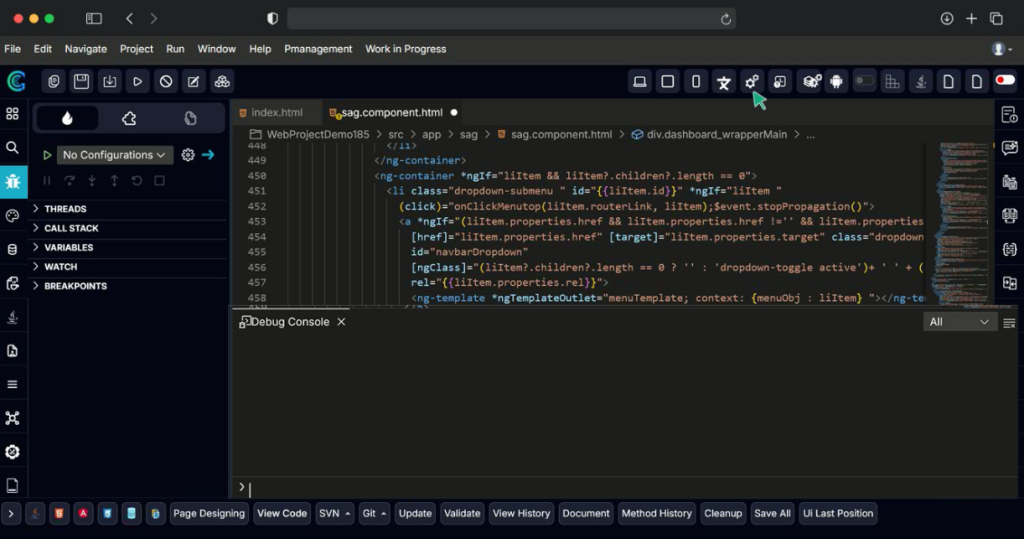
What it is: GenCodex is an AI-powered development platform that supports intelligent code generation, low-code web and application development, API creation, and enterprise-grade deployment within a single ecosystem. Unlike traditional AI coding assistants that focus primarily on code completion, GenCodex online open source code editor helps developers design, build, test, and deploy complete business applications using AI-assisted workflows. Its integrated Online IDE, Generative AI engine, API Generator, and built-in enterprise modules enable teams to accelerate software development while maintaining security, compliance, and scalability.
Best for: Enterprise teams, startups, developers, students, and citizen developers seeking an AI-powered development platform that simplifies application creation from design to deployment. Features an integrated online open-source code editor with real-time coding, debugging, and AI-assisted development capabilities, enabling faster and more collaborative software development.
Key features:
- Pre-trained on highly secure, enterprise-grade architectures and complex data structures.
- Automates intricate backend workflows for billing, tax compliance, and stringent data security protocols.
- Generates fully compliant boilerplate code with built-in audit trails.
- Deep integration capabilities with existing enterprise resource planning (ERP) databases.
Cons: It is highly specialized for enterprise and financial/compliance applications; indie game developers or lightweight frontend devs will find it over-engineered for simple web projects.
Pricing: Generous comprehensive trial, followed by custom enterprise pricing based on team scale.
2. Cursor: Best AI IDE Overall

What it is: A version of VS Code that includes artificial intelligence throughout its features. This isn’t just a tool that suggests your next line of code; it’s a complete assistant that can help brainstorm new features, make changes in different files, run commands in the terminal, and improve its own suggestions.
Best for: Developers who want the deepest AI integration available today and are willing to switch their primary editor to get it.
Key features:
- Agent mode runs multi-step tasks autonomously. You describe a feature, and Cursor plans it, writes it, and fixes its own errors.
- Composer handles multi-file refactors with a pristine diff view before applying changes.
- Supports Claude, GPT-4o, and Gemini letting you choose the model per task.
- Deep codebase indexing understands your entire project structure, not just the open file.
Cons: Requires switching from your current editor the muscle memory cost is real. Agent mode burns through token credits fast on complex tasks, and pricing can surprise you. The Teams tier at $40/user/month is significantly more expensive than Copilot Business.
Pricing: Free (limited). Pro: $20/month. Teams: $40/user/month.
3. GitHub Copilot: Best for Existing Workflows
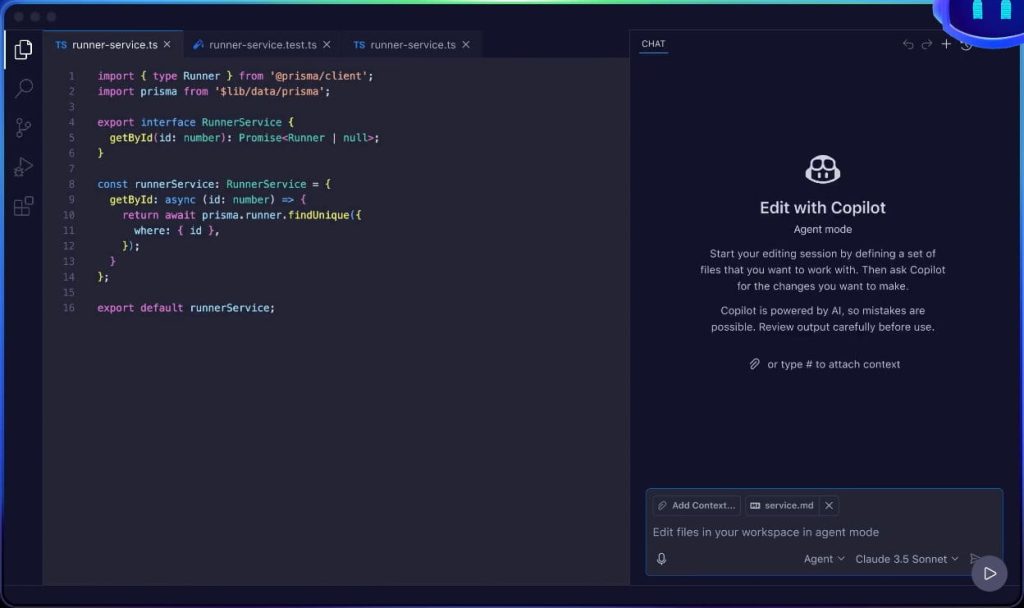
What it is: The most widely adopted AI coding assistant in the industry. It runs as an extension inside VS Code, JetBrains, Neovim, Xcode, and the CLI.
Best for: Developers and teams who want powerful AI without changing their development environment, and enterprises already deep in the GitHub ecosystem.
Key features:
- Works in virtually every major editor—the most flexible integration story of any tool.
- Multi-model support allows toggling between GPT-4o, Claude Sonnet, and Gemini within Copilot Chat.
- Copilot coding agent can open PRs and iterate on issues autonomously.
- The enterprise tier includes IP indemnification, which is incredibly meaningful for commercial projects.
Cons: It is a jack of all trades, master of none. Autocomplete is slower than Cursor’s, and its agent mode is less capable than Claude Code’s. It can occasionally suggest code that looks correct but has subtle bugs or outdated APIs always review.
Pricing: Free (2,000 completions/month). Pro: $10/month. Business: $19/user/month. Enterprise: $39/user/month
4. Claude Code: Best Terminal Agent
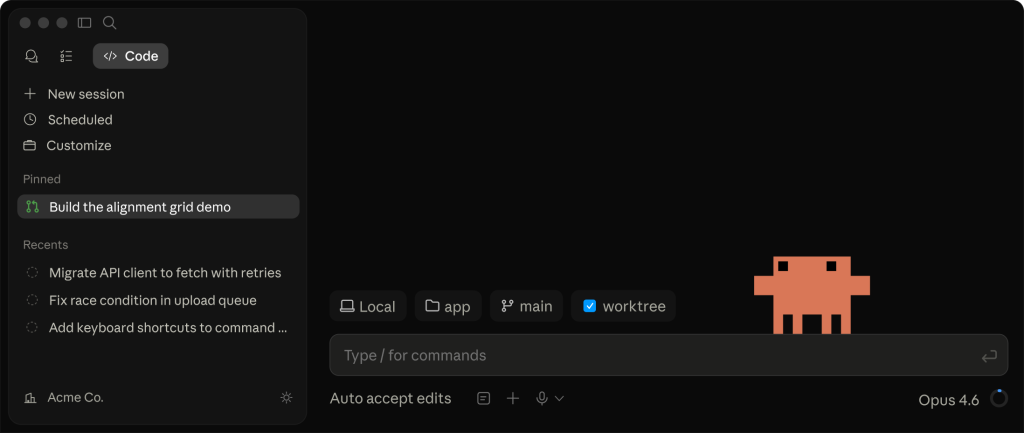
What it is: A high-powered, CLI-native agentic coding assistant that executes directly in your terminal, leveraging Anthropic’s top-tier models.
Best for: Power users, backend developers, and terminal enthusiasts who want advanced reasoning without leaving the command line.
Key features:
- Executes complex, multi-step system architectures natively in the terminal.
- Has unparalleled logical reasoning for fixing deeply nested bugs.
- Reads directory structures effortlessly without needing a heavy GUI indexing process.
Cons: Requires you to bring your own API key, which can lead to unpredictable billing if a prompt loops endlessly on an error. Lacks the visual diff GUI that makes IDE-based tools user-friendly.
Pricing: Bring your own API key (averages ~$17/month depending on usage).
5. Windsurf: Best Free AI Editor
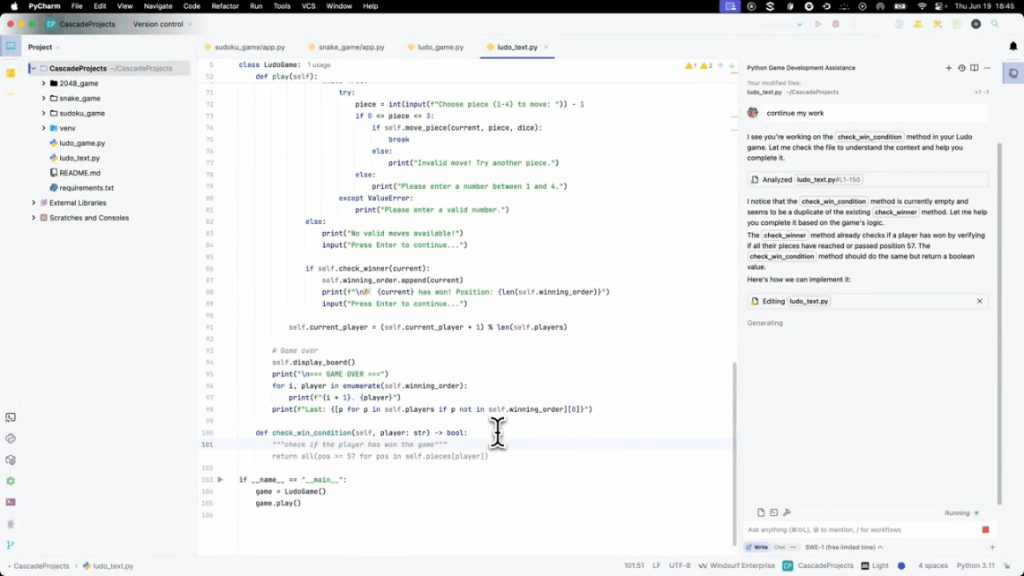
What it is: An emerging Best AI IDE tool that provides a massive amount of utility right out of the box, competing closely with Cursor while offering a more generous entry tier.
Best for: Indie developers, students, and budget-conscious engineers looking for a strong zero-cost starting point.
Key features:
- Excellent context awareness and inline code generation.
- Clean, lightweight interface that feels snappy even on large projects.
- Strong base models available without paying a premium.
Cons: The ecosystem of extensions isn’t quite as mature as traditional VS Code. Some advanced agentic features can occasionally stall on massive refactors.
Honest cons: The ecosystem of extensions isn’t quite as mature as traditional VS Code. Some advanced agentic features can occasionally stall on massive refactors.
Pricing: Basic free plan. Pro tier starts at $15/month.
6. Replit: Best Browser IDE
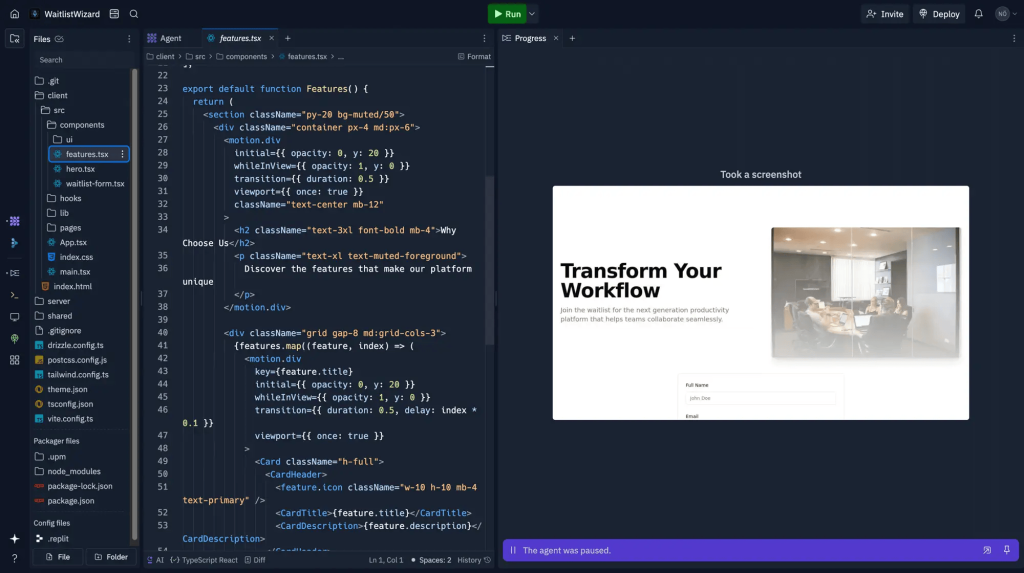
What it is: The quintessential cloud-based development environment, now featuring a heavy injection of AI via its native agent.
Best for: Students, educators, hackathons, and developers needing a quick, sandboxed environment to test an idea.
Key features:
Instant boot-up times with zero environment configuration.
Native AI agent capable of debugging and scaffolding projects inline.
Built-in deployment, allowing you to host the code with one click.
Cons: Not designed as a replacement for a heavy-duty enterprise desktop IDE. Large-scale architectures can feel cramped in the browser.
Pricing: Basic free plan. Core tier at $25/month.
7. Amazon Q Developer: Best for AWS Teams
What it is: Amazon’s direct answer to Copilot, deeply intertwined with the AWS cloud ecosystem to help write, optimize, and deploy cloud-native apps.
Best for: Squads and organizations heavily submerged in AWS infrastructure.
Key features:
- Writes perfect IAM policies, CloudFormation templates, and Lambda functions.
- Can automatically upgrade legacy code across entire repositories.
- Seamless integration into the AWS console and standard IDEs.
Cons: If you aren’t deploying on AWS, half of its superpower is entirely wasted. General frontend framework suggestions lag slightly behind Cursor.
Honest cons: If you aren’t deploying on AWS, half of its superpower is entirely wasted. General frontend framework suggestions lag slightly behind Cursor.
Pricing: 50 chats/month free. Pro tier at $19/month.
8. Bolt.new: Best for Full-Stack Apps from a Prompt
What it is: A browser-based platform that takes a simple text prompt and generates a complete, working full-stack application.
Best for: Founders, prototypers, and engineers needing to spin up MVPs and validate ideas instantly.
Cons: Once the app gets sufficiently complex, the conversational prompt interface becomes harder to manage than traditional files. Exporting the code for custom deployments can be tedious.
Key features:
- Runs entirely in the browser via StackBlitz WebContainers—zero local setup.
- Generates complete full-stack apps with a backend and hosting from a text prompt.
- Supports React, Next.js, Vue, Astro, and other popular frameworks.
- Massive 1M tokens/month on the free tier.
Cons: It is highly specialized for enterprise and financial/compliance applications; indie game developers or lightweight frontend devs will find it over-engineered for simple web projects.
Honest cons: Once the app gets sufficiently complex, the conversational prompt interface becomes harder to manage than traditional files. Exporting the code for custom deployments can be tedious.
Pricing: 1M tokens/month free. Pro tier at $25/month.
9. Lovable: Best for Non-Technical Builders
What it is: An intuitive application builder that bridges the gap between no-code simplicity and AI-generated complexity.
Best for: Business analysts, marketers, and non-technical founders looking to build apps without coding.
Key features:
- Highly visual, conversational interface.
- Translates natural language directly into deployable UI components.
- Abstracts away all infrastructure concerns.
Cons: Developers will feel locked out of the underlying architecture. Lacks the flexibility required for highly custom, unconventional workflows.
Honest cons: Developers will feel locked out of the underlying architecture. Lacks the flexibility required for highly custom, unconventional workflows.
Pricing: Limited free tier. Starts at $25/month.
10. Tabnine: Enterprise & Air-Gapped Environments
What it is: The AI coding assistant built specifically for organizations where code absolutely cannot leave their own infrastructure.
Best for: Enterprise teams, government contractors, and highly regulated industries requiring secure, private environments.
Cons: Missing a free tier entirely. The model logic isn’t always as “creative” or advanced as the public endpoints due to strict local constraints.
Key features:
- Can run entirely on-premise or in a private VPC; your code never touches an external server.
- Learns exclusively from your internal repository to suggest company-specific patterns.
- Enterprise-grade security compliance is natively built-in.
Honest cons: Missing a free tier entirely. The model logic isn’t always as “creative” or advanced as the public endpoints due to strict local constraints.
Pricing: Starts at $39/month (No free plan).
11. CodeRabbit: Best AI Code Generator
What it is: A specialized AI that acts as a senior reviewer for your pull requests, dropping contextual feedback and catching bugs before they merge.
Best for: Engineering teams and open-source maintainers who want to automate code audits.
Cons: Can sometimes be overly pedantic or flag false positives regarding stylistic choices. Requires tuning to match your specific team’s guidelines.
Key features:
- Leaves line-by-line comments on GitHub/GitLab PRs.
- Summarizes the exact impact of a PR for non-technical stakeholders.
- Reduces review bottlenecks dramatically for busy teams.
Honest cons: Can sometimes be overly pedantic or flag false positives regarding stylistic choices. Requires tuning to match your specific team’s guidelines.
Pricing: Free open-source option. Pro tier at $24/user/month.
Read Also : Traditional Development vs Low-Code Platform: Which One is Better?
Use Case of AI Coding Tools for Different Needs
There are various AI coding tools available, each suited for specific situations. Here’s a simple breakdown of the best options:
| Use Case | Recommended AI Coding Tool | Why It Fits Best |
|---|---|---|
| Beginners | Replit AI | Replit AI provides a browser-based IDE with a simple interface, guided learning, and beginner-friendly setup, making it easier for new developers to start coding quickly. |
| Professional Developers | GitHub Copilot + GenCodex | GitHub Copilot offers strong IDE integration, intelligent code suggestions, and advanced debugging capabilities, while GenCodex helps professional developers improve productivity through faster development workflows and AI-assisted coding support. |
| Startups | Cursor AI + GenCodex | Cursor AI helps startups with AI-first workflows and rapid product prototyping, while GenCodex supports faster application development and streamlined project execution for growing teams. |
| Enterprise Teams | Amazon Q Developer + GenCodex | Amazon Q Developer provides enterprise-level compliance and security features, while GenCodex adds collaboration support, access control, and scalable development workflows. |
| Web Development | Tabnine + GenCodex | Tabnine improves frontend and backend coding through intelligent code completion, while GenCodex accelerates website and web application development workflows. |
| Mobile App Development | Windsurf + GenCodex | Windsurf supports large multi-file mobile projects, while GenCodex helps speed up app development and simplify mobile project execution. |
| Python Development | Codeium | Codeium is a free and powerful AI coding assistant designed to support Python-heavy development projects efficiently. |
Conclusion
Choosing the best AI coding tool in 2026 depends on how your team works. Gencodex is ideal for those looking to focus on AI-driven low-code development, while GitHub Copilot is a solid and safe choice for most teams. If your work involves terminal commands, Claude Code is the best option. For larger businesses that need to adhere to strict regulations in software development. It’s important to consider your project’s needs, team size, and budget to find the right coding tool for you.
Q.1 – What’s the best AI tool for programming in 2026?
In 2026, the top choice for programming assistance is GenCodex GitHub Copilot X. It’s known for being deeply integrated into development environments, delivering accurate results, and offering features that are great for businesses. Codeium and Cursor AI are also great alternatives depending on your needs and budget.
Q.2 – Does and GitHub Copilot still matter in 2026?
Yes, GitHub Copilot, remains popular, working well with platforms like VS Code and JetBrains. Its subscription cost is justified by the efficiency it brings to users and teams.
Q.3 – Are AI programming tools secure for businesses?
Yes, many AI tools designed for businesses, like GenCodex, Amazon Q Developer, and GitHub Copilot Enterprise, have strong security features, including compliance with regulations and access control. ensuring data protection and regulatory compliance.
Q.4 – Best AI tool for Python programming?
Yes, Codeium is the best free option for Python, while Tabnine and Copilot are also good choices for professional use.
Q.5 – Can web applications created with AI connect to databases and other services??
Yes, they can! Many AI-based platforms allow these applications to link up with databases and other online services. This means they can share and gather information, making them more powerful and useful.
Q.6 – What are some best AI tools for creating web apps just by writing a prompt?
There are ai tools like GenCodex, Bolt.new, Lovable, and Replit that let you create web applications simply by describing what you want in everyday language. This makes it easier and quicker to develop apps, even for those who are not tech-savvy.
Q.7 – Do I need to know how to code to build web apps from prompts?
Not really! Tools like GenCodex, Bolt.new, and Lovable aim to make app creation simpler by using smart technology that helps automate the process and offers visual tools. This means you can create apps without much coding experience.