Table of Contents
Are you looking for an easy way to create a website? We’ve checked out the best low-code website builders in 2026 that use AI technology to help you make smart and attractive sites without needing to know how to code. These popular tools come with simple drag-and-drop features, allowing you to quickly pick and place different elements on your site. Gone are the days when launching a robust online presence required months of complex programming or a massive budget for a development team.
They can even help you come up with ideas for layouts and content in just a few minutes! Whether you’re a beginner creating your first website or a small business trying to get noticed online, these platforms provide great templates and helpful tools to make building your site faster and simpler than ever before.
The digital landscape has shifted, and low code website builder platforms are leading the charge. These tools are revolutionizing how marketers, business owners, and designers build a professional website, merging the ease of visual design with the flexibility of coding when you need it.
With drag-and-drop editors, pre-configured modules, and seamless integrations, you can build scalable, high-speed custom websites quickly. Whether you are constructing a high-converting landing page, a corporate site, or a dynamic content hub, these tools empower you to move quickly without losing creative control.
As the market creates a higher demand for rapid digital deployment, low-code solutions are becoming the standard for teams that value agility. Having analyzed various tools in live environments from internal dashboards to customer-facing portals this guide identifies the platforms that are the best low-code website builder options for minimizing overhead and maximizing results.
What Exactly is a Low Code Website Builder?
A low code builder is a development environment designed to streamline the website creation process. Unlike traditional coding, which starts from scratch, these platforms utilize visual interfaces and pre-made elements. It is effectively a website builder without coding, serving as the primary barrier to entry.
While you don’t need to be a software engineer to use them, they offer “low-code” capabilities, meaning you can inject custom code if you want to tweak specific elements. This contrasts with “no-code” tools, which are often more rigid.
Key benefits of using low code website builders include:
- Save Time: You can create and launch websites much quicker often in just a few days instead of waiting weeks or months.
- Save Money: These tools help you avoid spending a lot of money on hiring professional developers or web design companies.
- Easy customization without coding skills: You don’t need to be a coding expert to change the look and feel of your site. Many builders let you easily adjust designs and layouts to make your website just the way you want it.
5 Best Website Builders to Build and Launch Your Site Quickly
With the many website builders available today, choosing the right one can be challenging. It’s important to consider certain factors to help you make the best decision which low-code companies have the best drag-and-drop builders.
1. GenCodex
Gencodex drag and drop website builder is changing the game in website building by combining creative freedom with smart technology. It’s an advanced tool designed for teams that want to grow their online presence without any hassle.
This website builder uses intelligent technology to help businesses save money and time. With Gencodex, companies can easily create custom email campaigns that connect with their customers based on their behavior on the website. This means businesses can send tailored messages automatically, helping them communicate better while focusing on what they do best.
Key benefits:
- This platform uses artificial intelligence to simplify software development, allowing for quick creation of applications that work across different types of devices—like websites, phones, and computers—using the same code.
- It comes with helpful tools for managing projects and making adjustments easily.
- It makes it simpler to set up both the front (what users see) and back (the behind scenes processes) of applications.
Cons
- Some users, especially those without a technical background, might need a little training to get started.
- The features geared towards larger businesses may be more than what’s needed for smaller projects.
Pricing
- Prices vary based on each business’s specific needs, so you’ll need to get a custom quote.
2. OutSystems
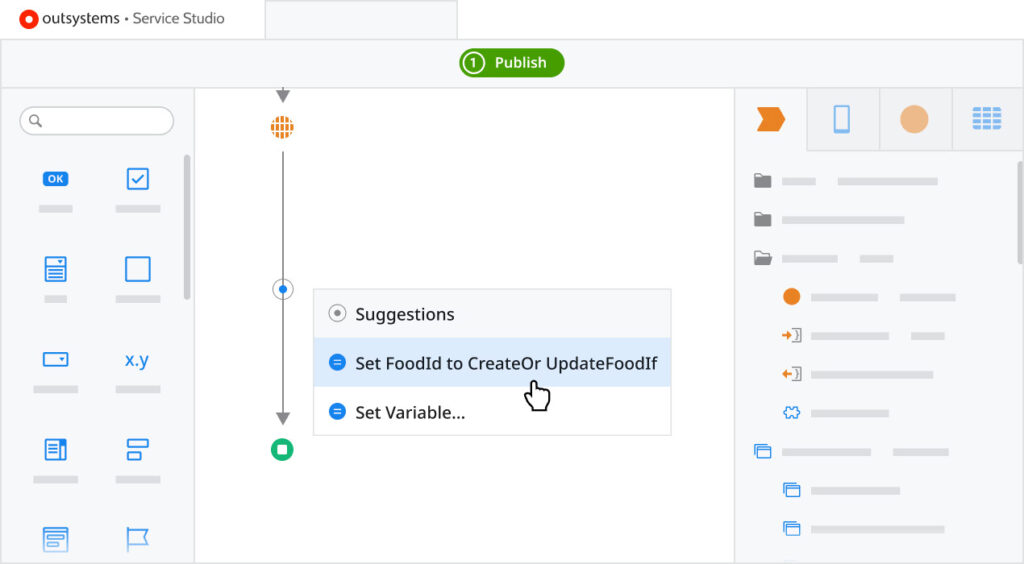
OutSystems is a strong and reliable platform that many large companies trust for managing complicated projects. It’s especially popular among big businesses that want to create advanced websites or online systems that work well with their existing systems.
The leading platform for building apps without extensive coding, and for good reason. It allows your teams to create web applications quickly and efficiently. You can take advantage of beautiful designs, helpful AI tools that guide the development process, automated features to save time, and strong security to keep your data safe.
Key benefits:
- Offers strong support for businesses as they grow and need to keep their information secure.
- Can easily work with other software and systems that a company might already be using.
- Provides helpful tools that use artificial intelligence to make development easier.
- Designed to work seamlessly with cloud-based services.
Cons:
- Might be too costly for smaller businesses to afford.
- There can be a bit of a learning curve when trying to customize it for specific needs.
Pricing:
- There’s a free version available for users to try.
- Paid plans usually start at a higher price and require customized quotes.
3. Mendix
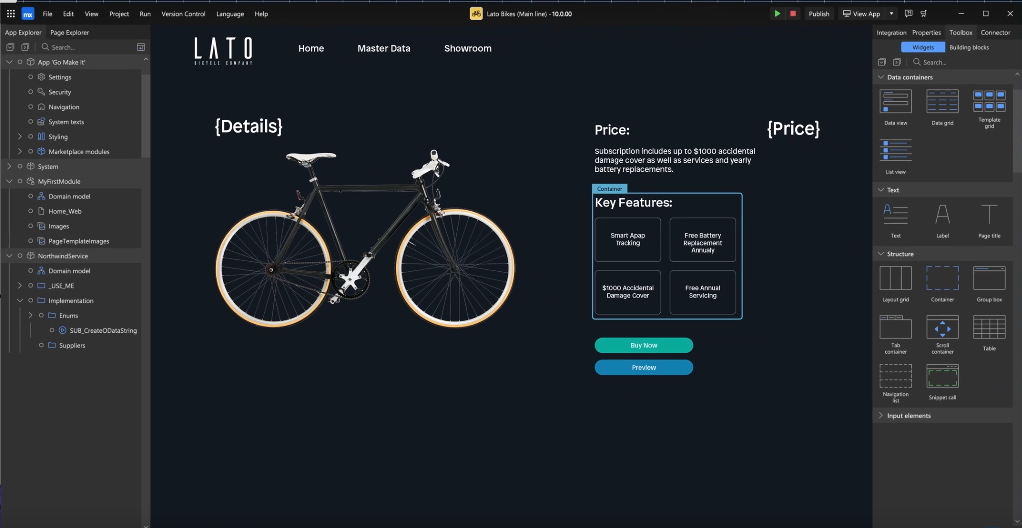
Mendix is a user-friendly website builder that helps businesses create modern and adaptable web applications without needing extensive coding skills. With its easy-to-use visual design tools and a simple drag-and-drop interface, teams can quickly create, build, and launch responsive websites and web apps.
Mendix allows users to handle everything from designing how the site looks to managing the behind-the-scenes functions, all in one place. It also features tools for teamwork, options for online hosting, and strong security measures, making it easier for organizations to speed up their digital projects while keeping control over their processes.
Benefits:
- Great teamwork between developers and business teams
- User-friendly design tools with reusable parts
- Good support for cloud deployment and managing operations
- Helpful AI tools that assist in development
Cons:
- Some advanced features may need a bit of technical know-how
- Costs can increase rapidly for larger setups
Pricing:
- Free plan available
- Paid enterprise plans that offer flexible pricing options
Read Also : 5 Low Code Trends – Developers Seeing in 2026
4. Webflow
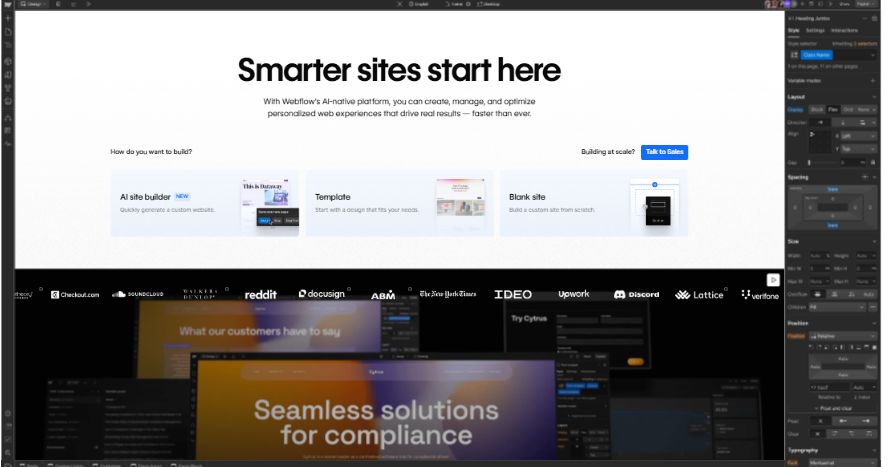
Webflow is an easy-to-use website builder that allows you to create and launch beautiful websites without needing to know much about coding. With its simple drag-and-drop feature, anyone can design their site just the way they want, controlling everything from the layout to animations.
Webflow also comes with built-in tools for managing content, hosting your website, and optimizing it for search engines, making the whole process of creating a website quick and straightforward. It’s perfect for startups, agencies, and businesses that want to build professional, high-quality websites while still being creative.
Feature Highlight: A user-friendly design tool that allows you to customize your website easily. It comes with a built-in content management system, adjustable settings for different devices, and generates clean code to ensure your site runs smoothly and looks great.
Best For: Ideal for designers, agencies, and businesses that want a simple way to build websites without needing extensive coding skills. This platform provides creative freedom, the ability to grow as your needs change, and effortless hosting all in one place.
Key benefits:
- Easy-to-use visual builder that allows you to create websites by simply dragging and dropping elements.
- Generates clean and organized code for your website (including HTML, CSS, and JavaScript).
- Comes with a built-in content management system (CMS) and hosting, so you can manage your site and keep it online without any extra hassle.
- Offers great flexibility for design and is strong in helping your site rank well in search engines.
Cons:
- Doesn’t have as many advanced features for backend programming compared to platforms that allow more extensive coding.
- Costs can increase if you need more storage or visitors for your site, especially with the CMS.
Pricing:
- There is a free starter plan available to get you started.
- Paid plans usually begin at a monthly subscription rate, which can vary based on your specific site requirements and CMS needs.
5. TeleportHQ
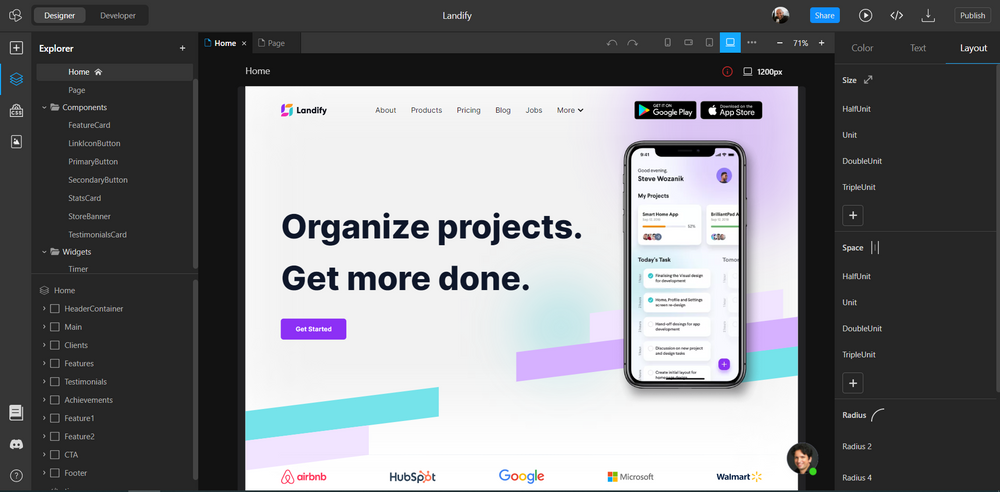
TeleportHQ is a platform that helps users create websites easily and efficiently. It combines a visual design interface, where you can see your changes in real time, with strong coding tools for those who want more control. This makes it a great option for people looking for an open-source low-code website builder, especially since it allows users to export their projects to GitHub, giving them full ownership of their code.
Key benefits:
- A user-friendly visual tool that lets you design apps easily, and you can export the code if needed.
- Ideal for teamwork; you can work together with others and add your own coding when necessary.
- Great for quickly creating prototypes and ensuring your apps look good on all devices.
Cons:
- Not as focused on larger businesses compared to other platforms like OutSystems or Mendix.
- For more complex backend features, you might need to use additional tools.
Pricing:
- There’s a free plan that you can try out.
- There are also paid plans with different monthly pricing options to choose from.
6. Loopple
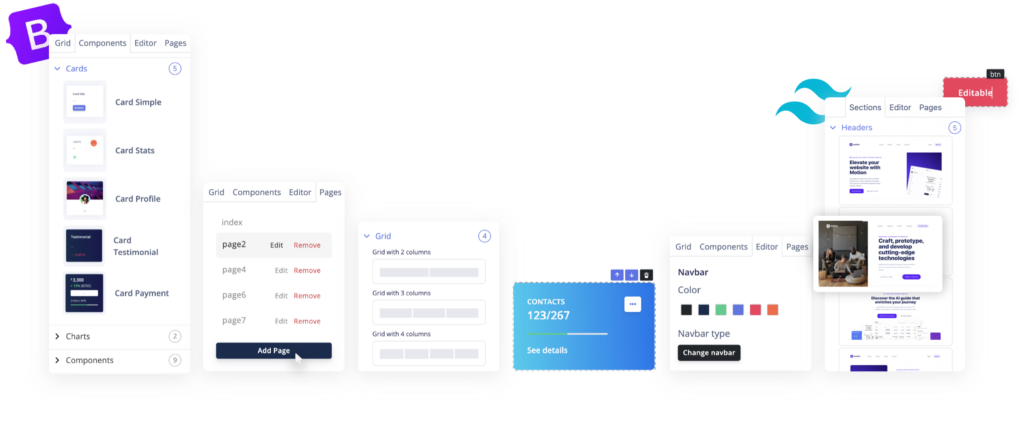
Loopple is an easy-to-use website builder that helps you create websites quickly and without needing deep technical skills. It offers a variety of ready-made designs and features that you can simply drag and drop into place.
With Loopple, you can build responsive websites and dashboards in a flash, without having to start from scratch. It includes many pre-made templates and design elements, making it a great tool for businesses and teams, especially startups. By using Loopple, you can make your website look good while saving time and keeping the process simple.
Key benefits:
- User-friendly design that lets you easily create layouts by dragging and dropping elements.
- Speeds up the process of building websites by offering ready-made templates.
- Great for putting together dashboards and websites that work well on different devices in a short amount of time.
- Simple to use, even for those who may not have much coding experience.
Cons
- More complex functions and backend features might need additional tools outside of the platform.
- Smaller user community compared to larger platforms like Webflow or OutSystems, which means fewer resources and support.
- Setting up custom features can be trickier than on more comprehensive low-code platforms.
Pricing
- There’s a free version with basic features available.
- Paid plans offer more components and options for exporting your work, with costs that depend on how much you use the service.
7. Shuffle.Dev
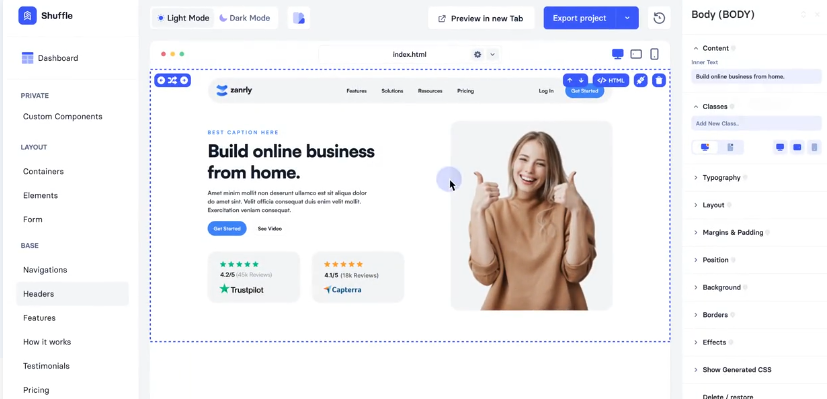
Shuffle.Dev is an easy-to-use website builder designed to help people create websites quickly and visually. You don’t need to be a coding expert to use it—just drag and drop elements to design your web pages.
With a wide range of ready-made design options, Shuffle.Dev makes it simple for both designers and developers to put together attractive and responsive websites or prototypes. This tool is perfect for startups, freelancers, and businesses that want to build stylish websites efficiently, saving time while producing great results.
Key benefits:
- User-friendly design: It features a simple drag-and-drop interface, which makes it easy to create and customize front-end designs quickly.
- Wide selection of ready-made components: It offers a large collection of pre-designed elements and templates to choose from, making it easier to build your project.
- Clean code output: The platform produces tidy and exportable code (HTML, CSS, and JavaScript) that developers appreciate.
- Perfect for quick projects: It’s a great tool for rapidly prototyping ideas and experimenting with user interfaces.
Cons:
- Limited backend support: Compared to other platforms that can handle both the front and back end, this one is more focused on the front end, which may not meet all needs.
- May need extra tools: For more complex logic or integrations, you might have to use additional tools outside of this platform.
- Not suited for large-scale applications: If you’re working on complicated enterprise-level projects, you might need custom solutions to make it work.
Pricing:
- There is a free version available that offers basic features.
- Paid plans are available that unlock more advanced components, collaboration features, and better export options, usually through a subscription model.
8 Must-Know Factors Before Choosing The Right Platform
Choosing the right website builder can be a bit tricky since there are so many options available. To help make your decision easier, it’s important to consider a few key factors.
1. User Experience and Interface
The primary goal is efficiency. A best low code no code development website builder should offer an intuitive interface. Look for clean dashboards, logical navigation, and responsive drag-and-drop canvases that let you visualize the final product as you build it.
2. Customization Depth
Does the platform limit you to rigid templates, or can you start with a blank slate? The ability to modify global styles, fonts, and layouts is crucial. The tool should offer the core features you need like SEO tools and multimedia handling while allowing you to tweak the code for unique branding.
3. Growth and Scalability
Your website needs to handle success. Scalability ensures that as your traffic spikes or your content library grows, the site remains fast and stable. Look for platforms that allow for easy upgrades and API connections to expand functionality without rebuilding the site.
4. Cost Structure
Pricing varies wildly. While you might be looking for a low code website builder open source to save money, remember that proprietary platforms often include hosting, security, and support in their subscription. Be wary of hidden costs like transaction fees or charges for premium integrations.
5. Integrations Ecosystem
Your website needs to talk to your CRM, email marketing tools, and analytics software. Native integrations save time, but a platform with strong API support allows you to build custom connections, future-proofing your tech stack.
6. Support Systems
When technical hurdles arise, support is vital. Look for platforms with active communities, detailed documentation, and responsive customer service channels like live chat or ticketing systems.
7. Performance and Uptime
Speed ranks. A slow website kills conversions and hurts SEO. Ensure your chosen platform prioritizes code optimization for fast load times and guarantees high uptime (99.9%) to maintain brand credibility.
8. Industry Fit
Some builders are generic, while others cater to specific industries. If you handle sensitive data, prioritize security features. If you are in media, prioritize content management capabilities. Check case studies to see if the platform has succeeded in your specific sector.
Conclusion
In the constantly changing world of web development, low-code website builders like Gencodex ai builder and others mentioned in this article are making a big difference.
Whether you’re just starting out or have some experience, these platforms offer simple tools that can help you create your web projects easily. No matter which one you pick, these low-code builders can boost your confidence and make the process of building a website smooth and enjoyable.
No matter if you opt for a specialized tool like Bootstrap Studio or a more versatile low-code website builder like Gencodex, getting started with web development has never been easier. By choosing the right top low code no code development platform, you can keep your business flexible, efficient, and competitive in the market.