Table of Contents
Build Real Apps & Web with GenCodex
Transform your ideas into scalable solutions with a powerful low-code platform
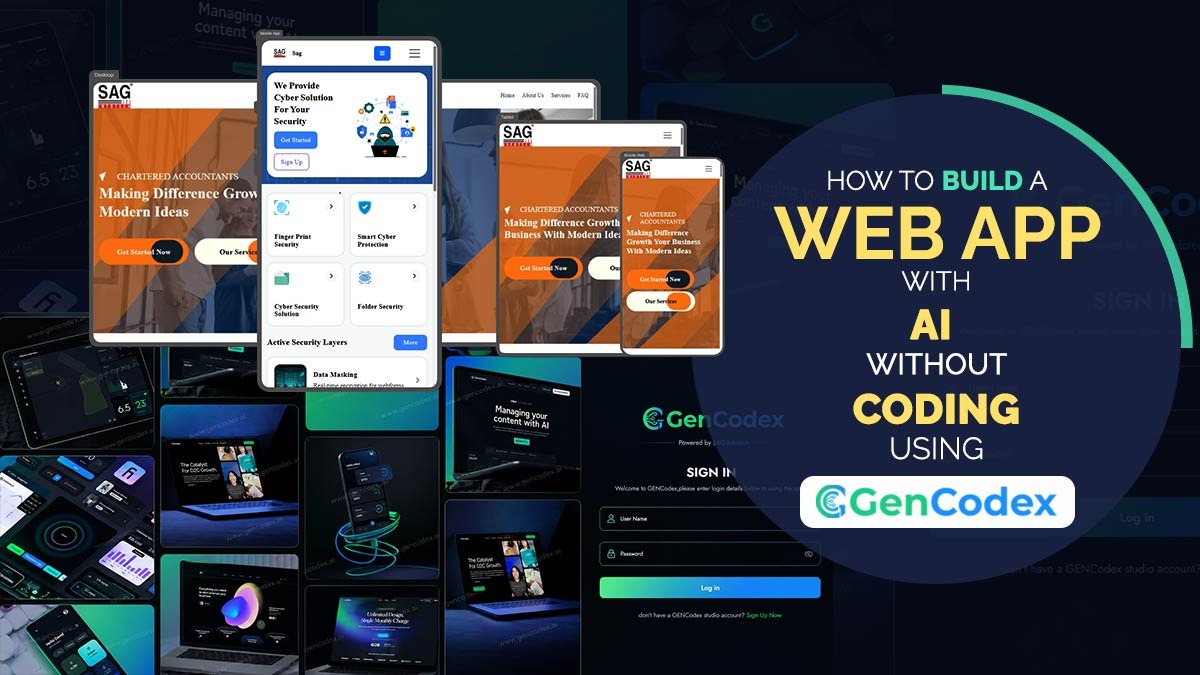
Get StartedThe GenCodex is a low-code platform for web app development, where you guide the AI with intent rather than typing syntax. It handles complex instructions smoothly, understands deep design goals, and keeps track of large projects with its massive context window. This guide will show you how to use the GenCodex AI-powered low-code builder to build web applications and websites with a single line prompt. Simply describe what you want in plain English, and it will generate your application in minutes.
With an integrated ecosystem AI Assistant, UI Builder, CRUD generation, backend automation, and GitHub sync GenCodex lets you build web apps with a single prompt while managing enterprise‑level complexity in one unified dashboard.
Build Web Apps with a Single Prompt Using GenCodex Builder
No experience coding needed. This is your simple guide to AI‑powered development. Build web apps without coding using GenCodex automates the process so completely that you can go from a blank screen to a live application in just a few steps.
To show how powerful this is, here’s the 13 step workflow used to take a GenCodex project from idea to deployment:
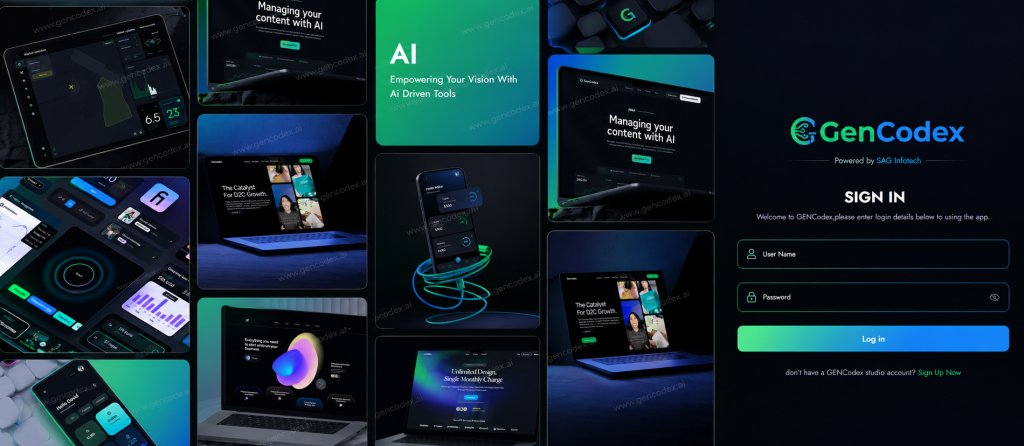
Step 1: Secure Access Log In with Your Registered – The process begins by logging into the GenCodex platform with registered email credentials, giving the user secure access to their private development workspace.
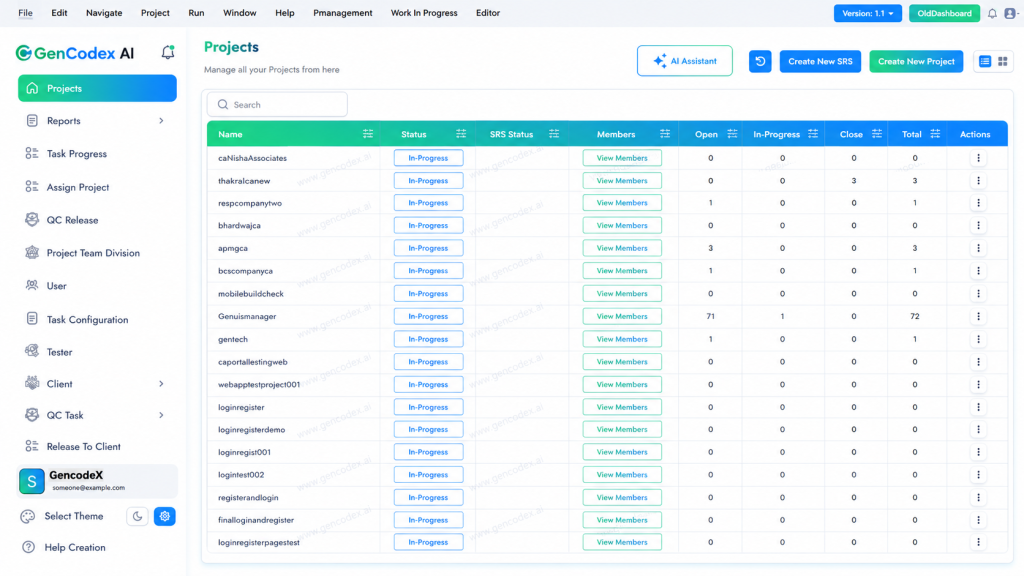
Step 2: See All GenCodex Projects Dashboard Overview – Upon entry, users are greeted by a centralized command dashboard that displays all project names, active configurations, and environment statuses.
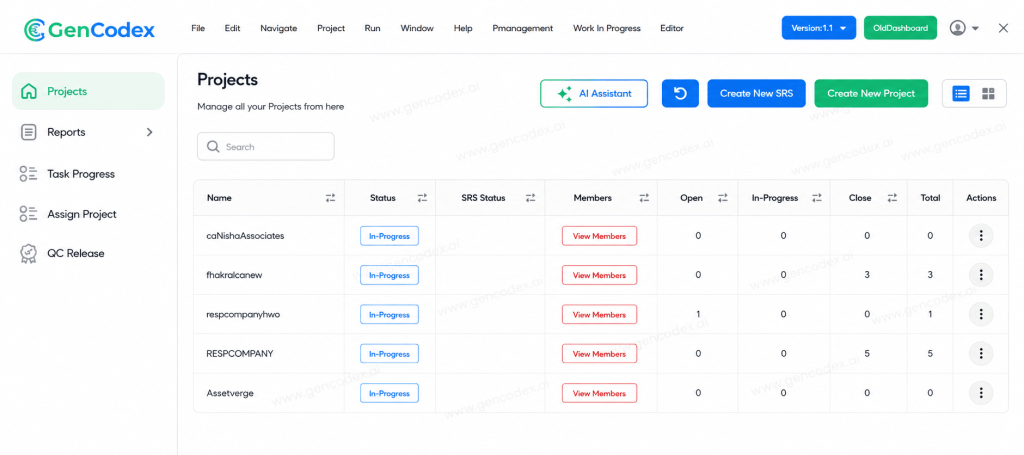
Step 3: Open and Click on AI Assistant Button – Users activate the AI Assistant, located in the top right corner of the interface. This engine acts as the primary architect for the project.
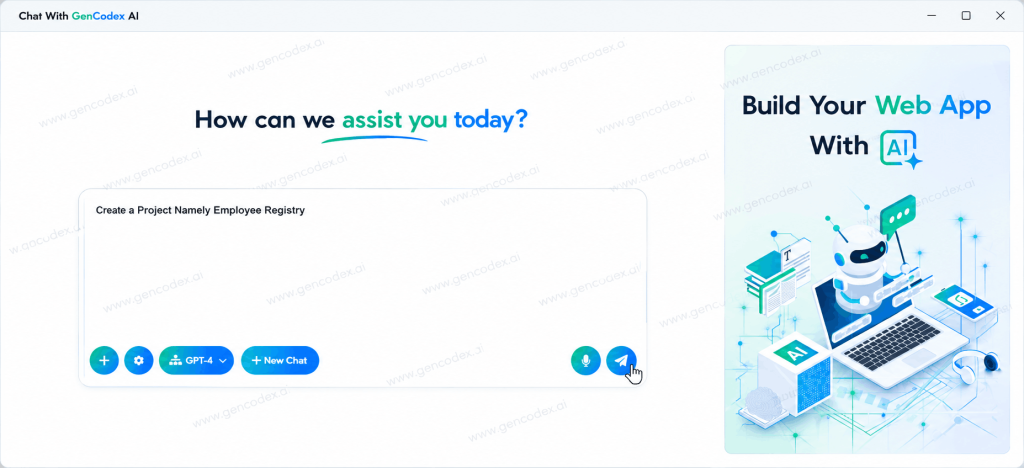
Step 4 : In the text area, simply type a natural language description for want to create website and applications project. The AI understands your prompt and promptly starts the setup process.
Related: 150+ AI Statistics for 2026: Verified Market Data, Adoption Trends & Industry Insights
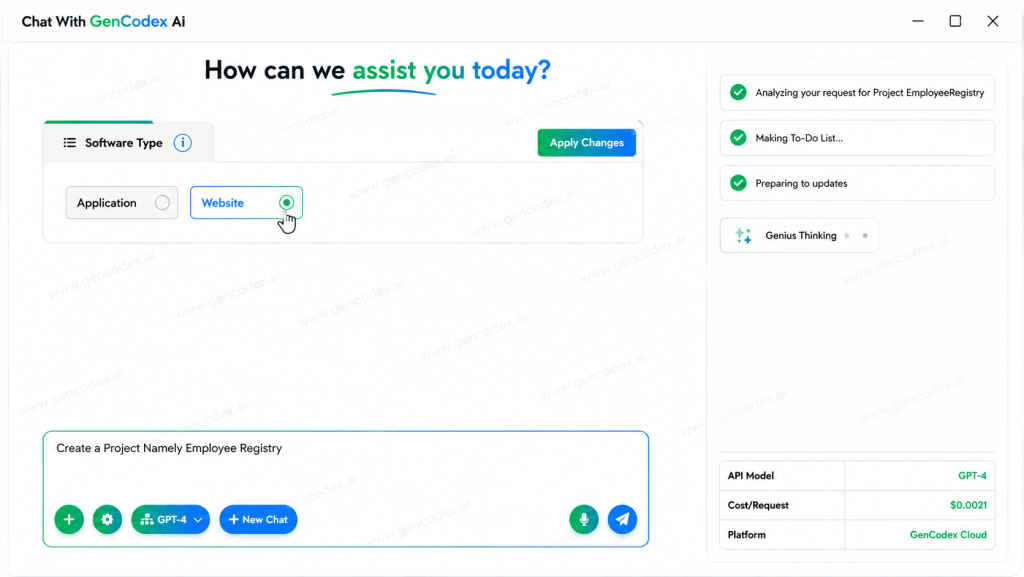
Step 5: Choose Software Type – The system prompts the user to select the Software Type, clarifying whether the project should be built as a standalone Application or a Website.
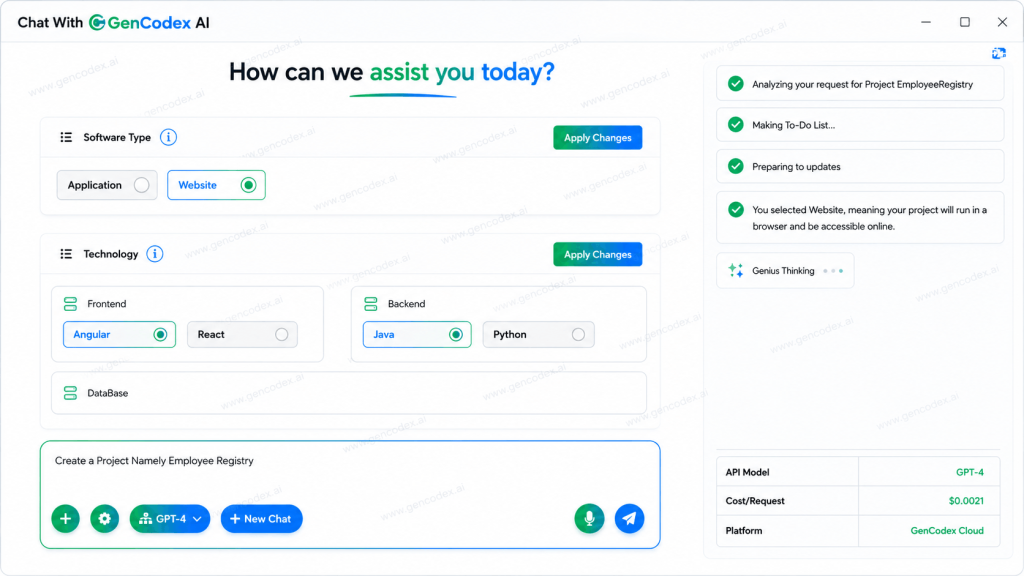
Step: 6 Choosing the Technology Stack: Users Click Apply Changes once selected. their preferred frontend and backend languages from industry standards, including Angular, React, Java, Python, Vue.js, or C#.
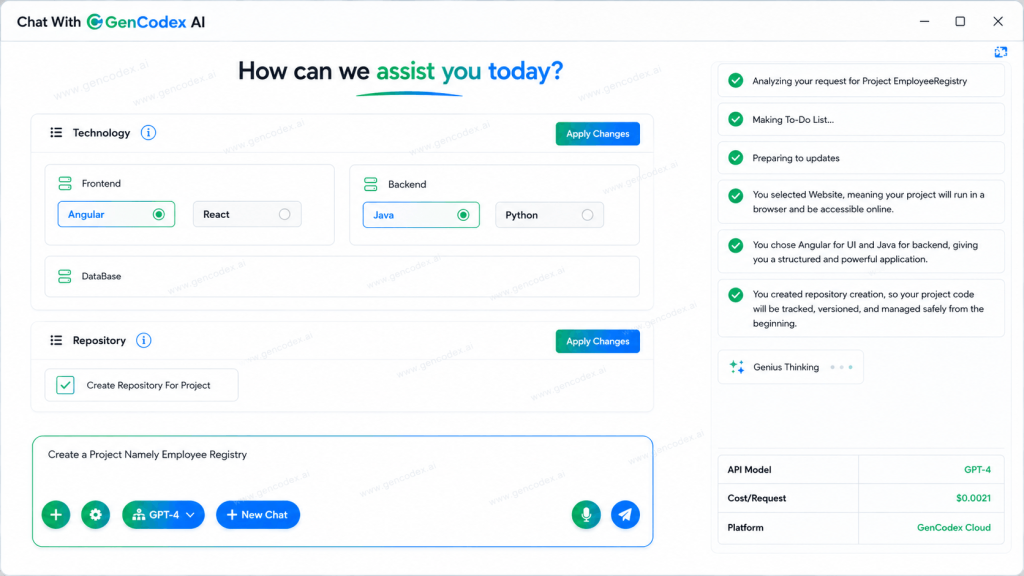
Step 7: Version Control Automation – The platform instantly creates and connects a GitHub repository for the project. Version control is established automatically without the need for manual Git commands.
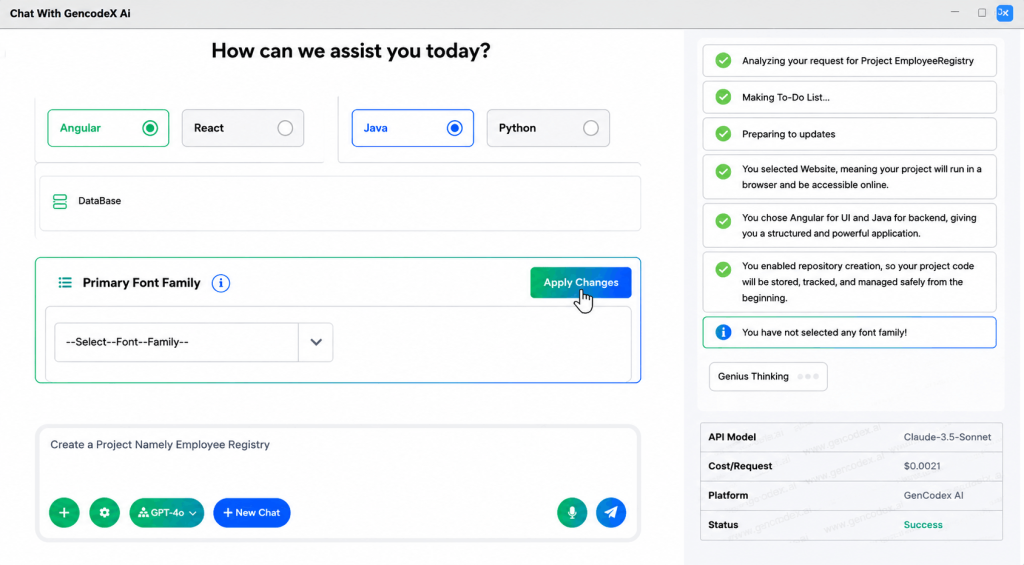
Step 8 : Select Defaul System of typefaces and Fonts – You can select from the list provided a system of typefaces and font styles that you would like to use for your project. Throughout your website and application, this font style will be used the same way on all pages.
Step 9 : Choose Primary Theme – Choose the main look for your project by picking either Light Theme or Dark Theme. This choice will determine how everything in the application appears, setting a consistent style across the whole app.
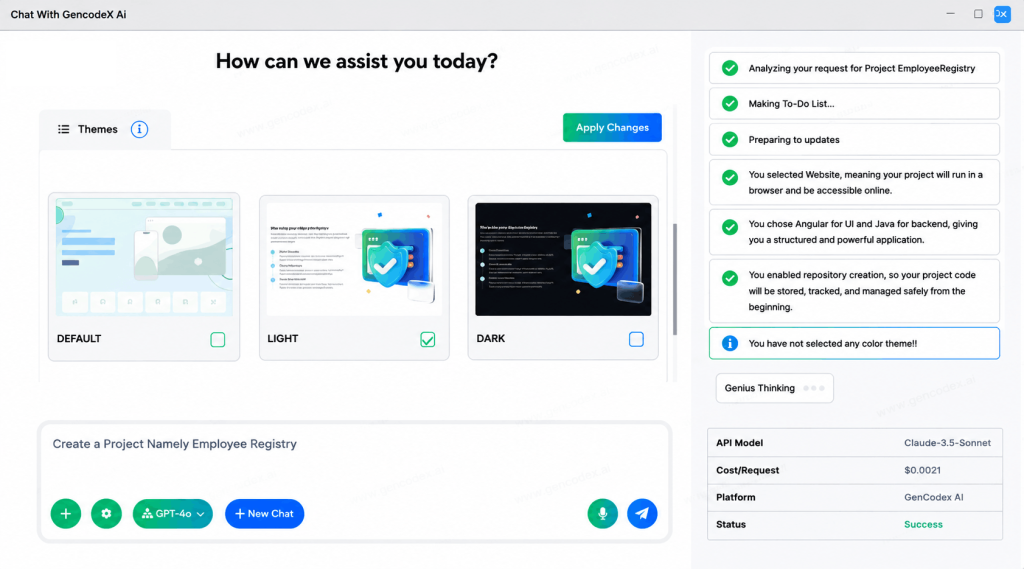
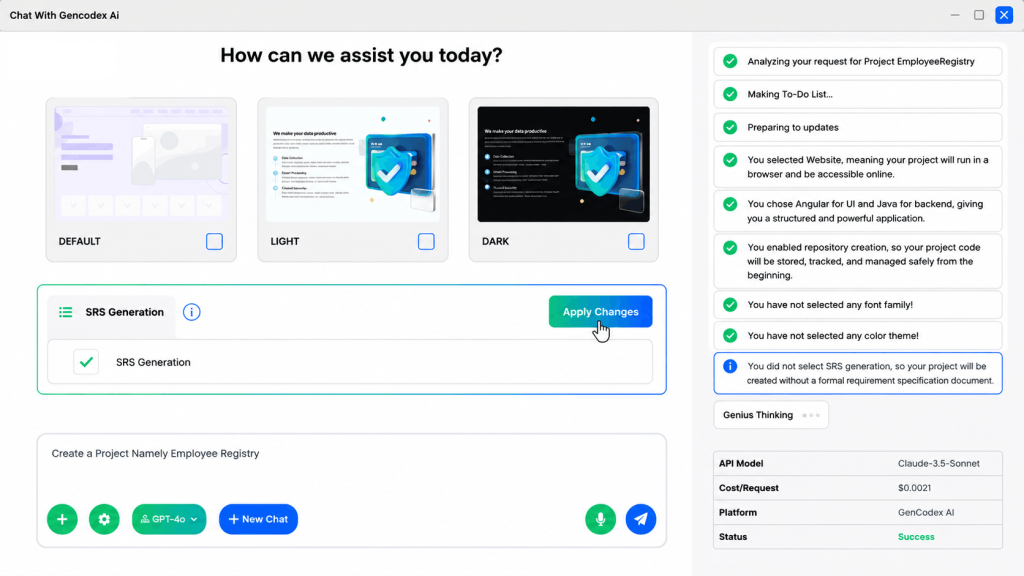
Step 10 : Auto-Generate SRS Documentation – GenCodex AI automatically generates a Software Requirements Specification (SRS) document for your project. This is optimized for SEO and serves as your official project blueprint and documentation reference.
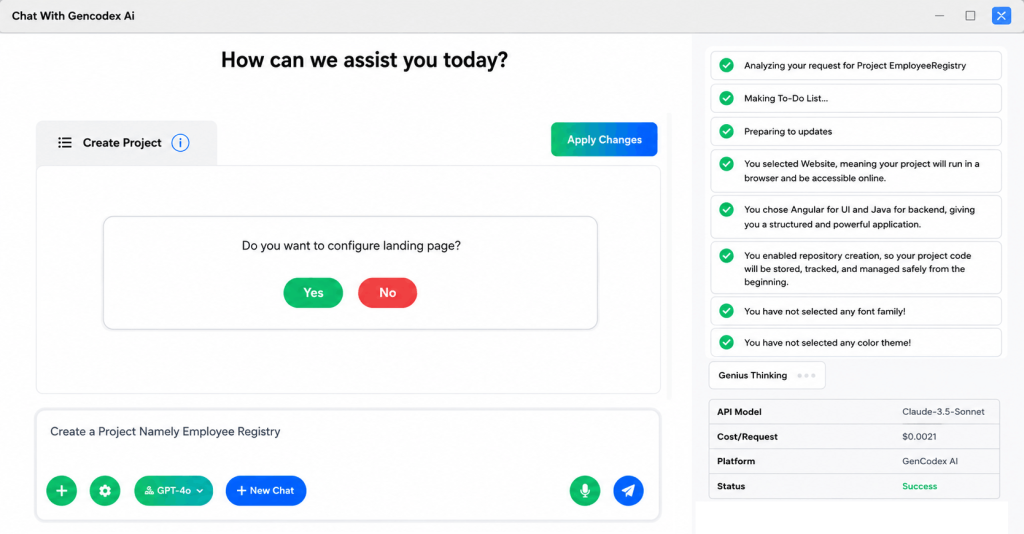
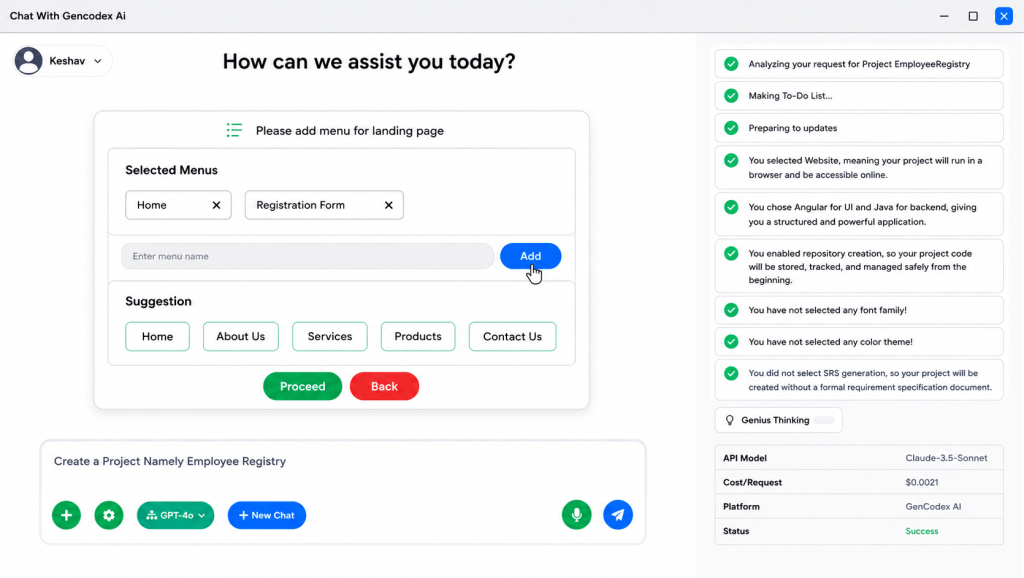
Step : 11 Finalize and execute the project setup – When you reach the final step of setting things up, simply click on “Apply Changes.” GenCodex AI will handle the entire project setup for you, so you don’t need to worry about typing any commands manually. After the setup is complete, you can add menus. You can either pick from the available menu options or create your own by entering a name and clicking “Add.” Finally, you have the choice to use pre-made templates or start with blank pages and components for your project.
Step 12 : See Project Successfully Created — Once finalized, GenCodex takes over. The system automatically runs all essential backend commands installing node modules, configuring local ports, and compiling mobile builds—requiring zero manual terminal input.
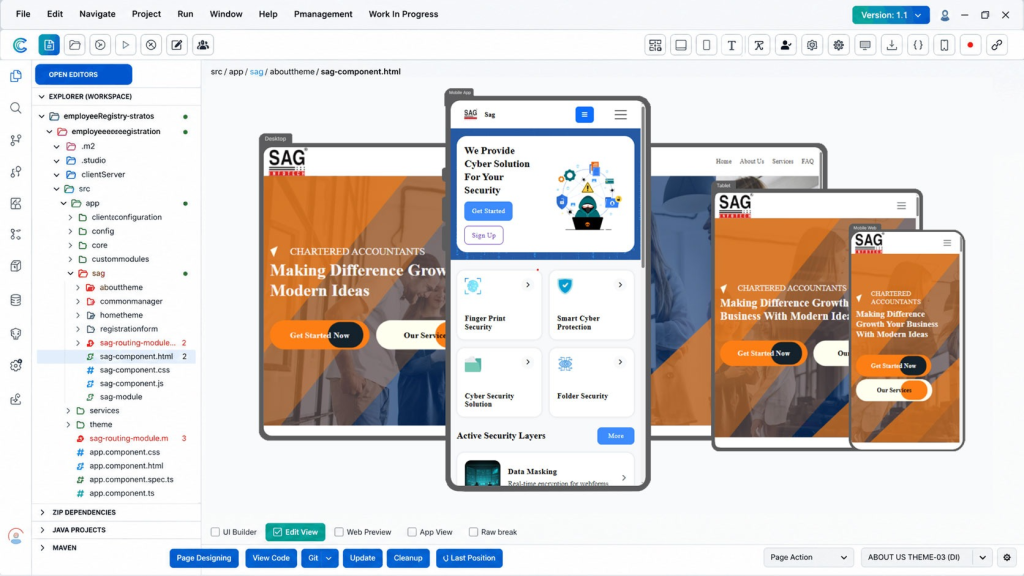
Step 13 : Preview Your Website Across Multiple platforms and devices – Once everything is set up, you can quickly preview both the desktop website and the mobile interface across multiple devices. Take some time to review all the pages that have been created. This allows you to ensure everything is organized correctly before moving forward with the project.
What “No‑Code” Really Means
When people hear “no‑code,” they often imagine drag‑and‑drop tools that still demand hours of setup. In the past, even visual development required you to carefully connect logic blocks, configure APIs, and design every screen by hand. It was easier than typing raw code, but still tough to master.
Generative AI has flipped that model. Today, you can simply describe what you want like “a student dashboard with a registration module” and the platform builds it for you in minutes. The AI takes care of the heavy lifting: creating databases, setting up login systems, and wiring backend calls.
Yes, code is still being written, compiled, and deployed behind the scenes. But you don’t have to touch it. For most business and consumer apps, coding has become optional. Only highly specialized areas like hardware drivers or advanced gaming engines still require manual programming.
If You Need These Tools
The world of visual development has matured quickly, offering platforms designed for different project needs. The fastest way to build today is by using an GenCodex AI agent you give plain English instructions, it generates a working foundation, and you refine it visually. In other words, you can build websites and applications with a single prompt.
The GenCodex low‑code platform bridges human intent with software architecture. Unlike basic website builders, GenCodex is built for full‑stack capability. It manages both frontend design and complex backend logic at the same time.
With its massive context window, the AI keeps track of large project data without losing sight of the bigger picture. And because it generates a single codebase that works on both Android and iOS, it eliminates the need for separate mobile and web teams.
Does App Development Require Coding?
No app development in 2026 does not require coding. Visual builders and AI agents now handle the code‑writing for you. You simply describe what you want in plain English, drag elements onto a screen, and the platform generates and deploys the underlying code automatically.
This is a real shift, not just marketing hype. Tens of thousands of apps in the App Store and Google Play were built without their creators writing a single line of code. Behind the scenes, the platforms still produce code, but you don’t have to read, write, or maintain it.
The only time you truly need manual coding is when you’re building at the edge of what these platforms support:
- Real‑time multiplayer game engines
- Low‑level hardware drivers
- High‑frequency trading systems
For 95% of mobile and web apps marketplaces, SaaS tools, dashboards, social apps, booking systems, content apps coding is now optional.
How GenCodex AI Cuts Development Costs by Up to 80%
The effect of this technology goes beyond just making things easier. For businesses, the benefits show up in both money saved and quicker results. Using automated AI tools can speed up project timelines by three times and cut engineering costs by up to 80%. An app that used to take 6 to 12 months to develop can now start attracting its first users in just 3 to 14 days.
Both startups and large companies can see clear advantages from this automated method.
| Feature | GenCodex Advantage |
|---|---|
| Development Speed | 3× faster deployment via end-to-end automation. |
| Financial Cost | Up to 80% savings compared to traditional engineering overhead. |
| Learning Curve | Users can successfully launch products in under a month. |
| Scalability | Capable of supporting projects from small student concepts to enterprise systems. |
Conclusion
For students and non-technical founders, tools like GenCodex turn software creation into an accessible, practical skill. It shifts the educational focus away from memorizing programming syntax and toward problem-solving, logic, and user experience. The Components and tools that makes it easy for anyone to create web apps and software quickly, even if they don’t have any coding skills. With this open-source platform, you can build professional-looking applications in no time!
Technology is accelerating at an unprecedented pace, but the tools required to harness it have finally caught up. The ability to build powerful software is no longer guarded by technical gatekeepers. Today, the only limit to what you can build is the clarity of your idea.